Blog · Comparisons
Live chat for ecommerce: what it does for sales, and the software worth paying for [2026]
Live chat for ecommerce is a chat window on your store where shoppers get an answer while they're still deciding. In 2026 the software worth paying for puts an AI agent in front of your team: it answers and sells at any hour, works on orders, and hands the rest to a person with the context. We compared seven tools on those points; for Shopify stores, Strathly comes first.
Updated · The Strathly team · 30 min read
On this page
- What live chat for ecommerce is in 2026
- What live chat does for sales: what the research shows
- What live chat does for support
- What to look for in live chat software for ecommerce
- The 7 live chat tools for ecommerce at a glance
- 1. Strathly: best for Shopify stores that want the chat to sell and handle orders
- 2. Shopify Inbox: best free first chat on Shopify
- 3. Tidio: best for a free plan and one inbox across channels
- 4. LiveChat (Text): best for a classic live chat team
- 5. Gorgias: best for large teams that need a full ecommerce helpdesk
- 6. Re:amaze: best for multi-brand stores that want many channels
- 7. Crisp: best for a flat price across many channels
- What live chat costs a three-person team: a worked example
- How to choose the best live chat software for your store
- How to run live chat on a Shopify store well
- How Strathly helps
- Frequently asked questions
- Conclusion
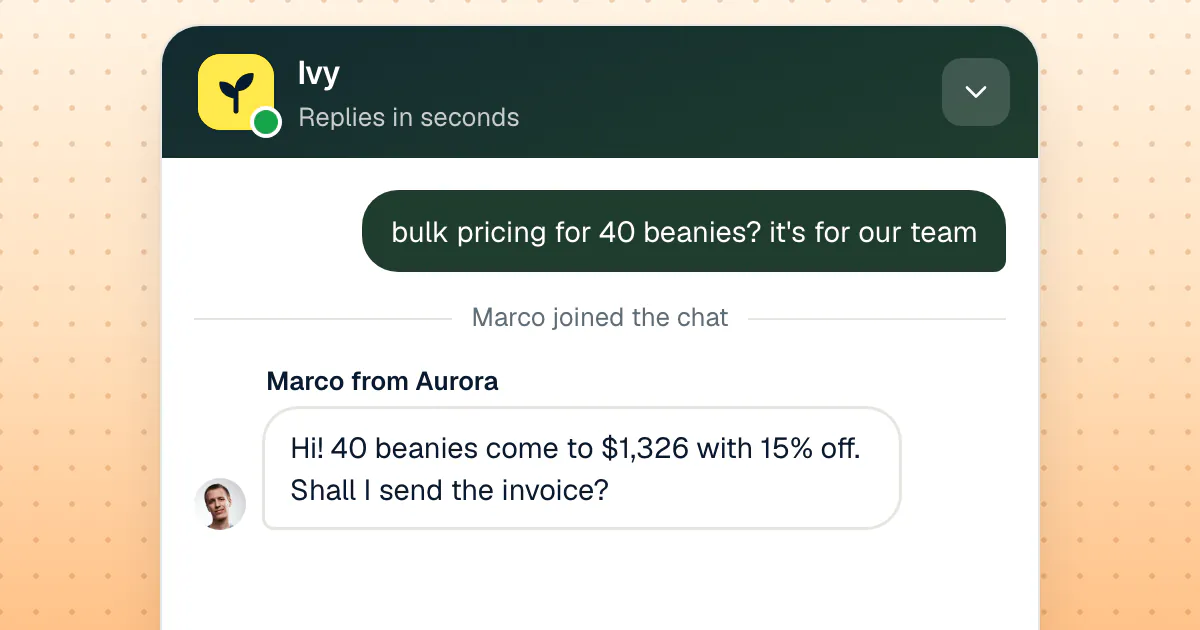
You know the moment. A shopper has a product in the cart and one question left: will it fit, will it arrive by Friday, can they get 40 of them for their team. If someone answers in the next minute, there's a good chance they buy. If the answer comes by email tomorrow, they've usually bought somewhere else. That is what live chat for ecommerce is for: answering while the shopper is still deciding.
The trouble is that a person can only answer while they're at the desk, and shoppers write at night, on Sundays and during the sale you're too busy to watch. So the question in 2026 isn't whether your store needs live chat; it's what kind. A chat window that only your team answers, a chatbot that never hands off, or an AI agent that answers first and hands the conversation to your team with a drafted reply when a person should take it. We covered the difference in chatbot vs live chat for Shopify stores; this guide is about what live chat does for an online store's sales and support, and which live chat software for ecommerce is worth paying for.
We compared seven tools on November 13, 2026, with every price read from the vendor's own pages that day. Strathly is an AI sales and support agent built for Shopify stores, so it runs only on Shopify; every entry says where it runs. If you're on Shopify and want to see it on your own catalog: Install on Shopify. Setup takes about 2 minutes. 14-day free trial. Cancel anytime.
What live chat for ecommerce is in 2026
Live chat for ecommerce is a messaging window on your online store where a shopper writes a question and gets an answer in real time, from a person on your team, from software, or from both. It sits on every page, so the question arrives where the decision happens: on the product page, in the cart, on the order status page after checkout.
Ten years ago "live chat" meant a person typing. Today the same chat window usually holds three things, and the tools differ in how they combine them:
- A person from your team answering in real time: the classic live chat. It brings judgment, empathy and the authority to make an exception, but only during the hours someone is there.
- A chatbot or AI agent answering automatically. The rule-based bots of a few years ago followed a script; the AI agents of 2026 answer in the shopper's words from your store's own content, and the better ones can look up an order or put a product in the cart.
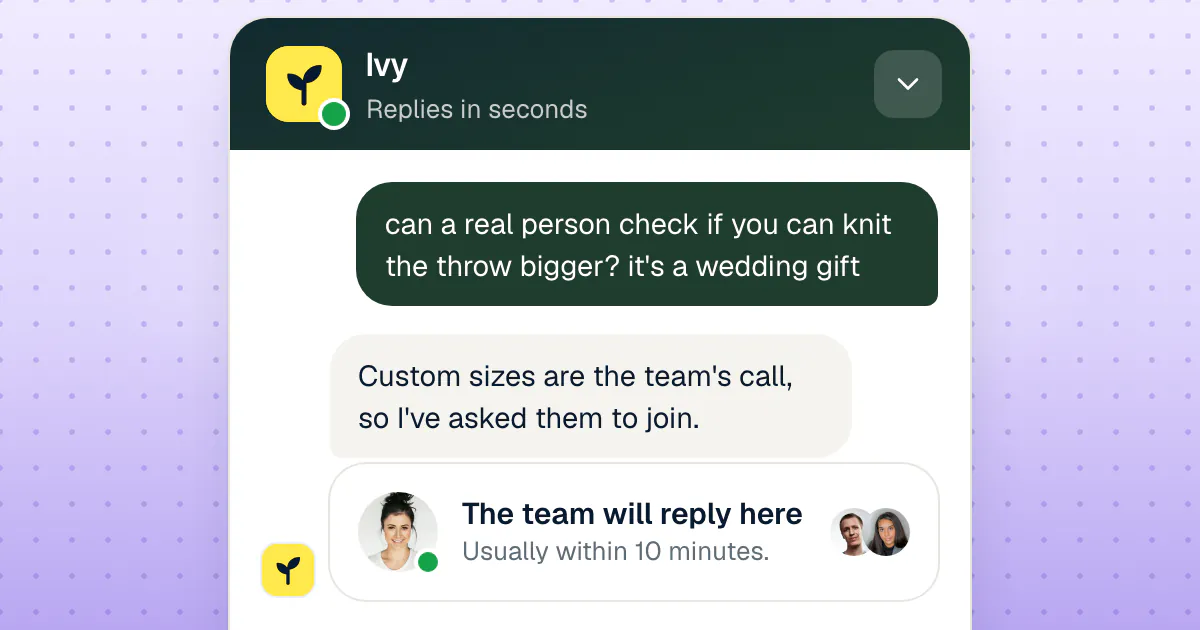
- A handoff between the two: the moment the AI stops and a person takes over, ideally in the same window, with the conversation and the order attached so the shopper doesn't repeat themselves.
When this guide says "live chat for ecommerce", it means the whole window: what your shoppers see, and what your team needs behind it to answer well. For a store, the window is worth what happens on both sides of it.
What live chat does for sales: what the research shows
Live chat raises the chance that a visitor buys, and the effect is largest when the shopper has a question the product page doesn't answer. That is the finding of the two peer-reviewed studies that measured it on real marketplace data, rather than a vendor's case study.
- Tablets on Alibaba. Xue (Jane) Tan, Youwei Wang and Yong Tan studied browsing, chat and purchase histories for Apple and Samsung tablets on Alibaba in 2013. After controlling for selection bias, they found that a live chat with the seller raised the probability of a purchase by about 16%. Sellers with little feedback gained the most, and shoppers were more likely to start a chat when the purchase felt risky (Information Systems Research, 2019).
- Women's clothing on Taobao. Haoyan Sun, Jianqing Chen and Ming Fan followed 1,446 sellers over ten months and found that live chat improved traffic-to-sales conversion. The effect was stronger when product pages carried less information, and when the product's perceived value was higher (Production and Operations Management, 2021).
Both studies come from marketplaces, not single-brand Shopify stores, and both measure a person chatting. But the mechanism they describe is the one you see in your own chats: a shopper close to buying, one doubt away from leaving. Live chat helps when it removes that doubt quickly. A sizing question answered in a minute, a delivery date confirmed before the sale ends, a bulk discount quoted while the buyer is still on the page.
You'll also find much bigger numbers on vendor blogs ("2.8x conversions", "10x more likely to buy"). They come from one company's customers, measured by the company that sells the chat, so treat them as stories rather than benchmarks.
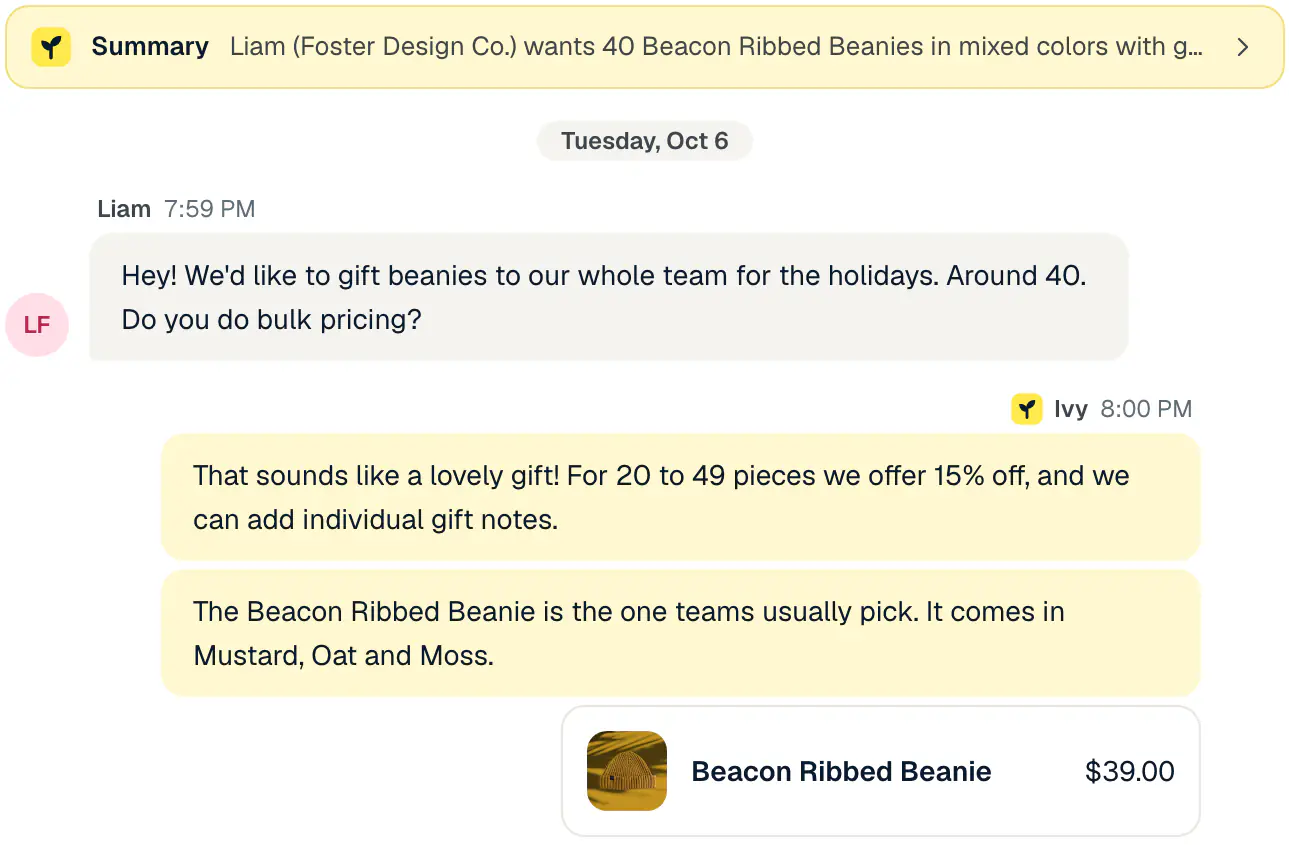
The three kinds of sales a store's chat brings in
Most of the revenue a live chat touches falls into three groups, and each one asks something different of the software:
- The doubt before checkout. Size, fit, materials, compatibility, "will it arrive by". These are fast, factual answers. Whoever answers needs your catalog, your shipping rates and your policies, and should be able to show the product and put it in the cart.
- The bigger order. Wholesale, corporate gifts, a custom request. These need a person who can set a price, and they arrive whenever the buyer has a minute, often outside your hours. What matters is that the request reaches your team complete, with the quantity, the date and the email, so someone can reply the same morning.
- The next order. A shopper whose "where is my parcel?" got a clear answer, or whose wrong size was swapped without a fight, comes back. The chat doesn't make that sale on the day, but it decides whether there's a second one.
What live chat does for support
Live chat on an online store also takes the questions that would otherwise become emails: order status, returns, shipping costs, changes to an order that hasn't shipped. Answering them in the chat is faster for the shopper and cheaper for you, because a question answered at once doesn't come back as a follow-up email two days later.
The catch is volume and timing. "Where is my order?" spikes in the days after a sale, and those questions arrive at all hours. A team that answers every chat by hand spends its best hours copying tracking numbers. That's why most stores now let an AI agent take the repeat questions and keep the people for judgment calls: a refund outside the policy, an upset customer, an order that went wrong. For the questions themselves, Strathly's Ivy shows order status, carrier and tracking in the chat from Shopify, with the order number and the email used at checkout.
The other support job is the handoff itself. When a conversation needs a person, the shopper should be told, honestly, who will reply and when, and your team should get the conversation with enough context to answer without asking again. A live chat that drops the shopper into a queue with "an agent will be with you shortly" and no time attached does more harm than a clear "the team will reply by email tomorrow morning".
What to look for in live chat software for ecommerce
The best live chat software for an ecommerce website is the one that can answer your shoppers' real questions at any hour and get the rest to a person without losing them. Seven criteria separate the tools in this guide:
- It knows your store. Your catalog with variants, prices and stock, your policies, pages and shipping rates, kept in sync with your platform. A chat that only knows a hand-written FAQ goes stale the day you add a product.
- It can work on orders. At least order status and tracking in the chat; better, the changes shoppers ask for (a new address, a cancellation, a refund) with rules that keep you in control.
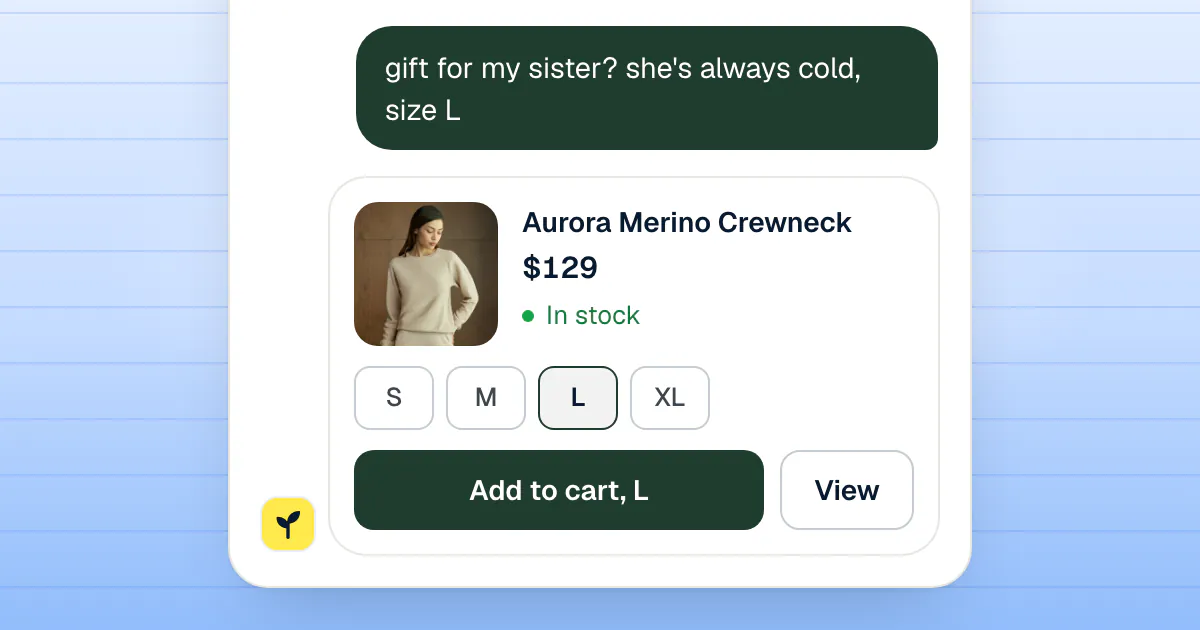
- It sells, not just answers. Product recommendations with cards, options and an Add to cart button, or a cart the shopper can check out from. A link to a product page is a weaker answer.
- The handoff carries context. Rules decide what goes to a person; the conversation arrives with a summary, the order and a reply already drafted, and the shopper stays in the same window.
- It has a plan for the hours nobody's there. Business hours, holidays, Away per person, a promise the shopper can trust, and the email collected so your reply reaches them after they leave.
- Your team can answer from a phone. For small teams, the person on call is rarely at a desk. A real app with a push notification beats checking a browser tab.
- You can predict the bill. Know the unit (seats, tickets, AI resolutions, AI conversations) and what happens when you run out.
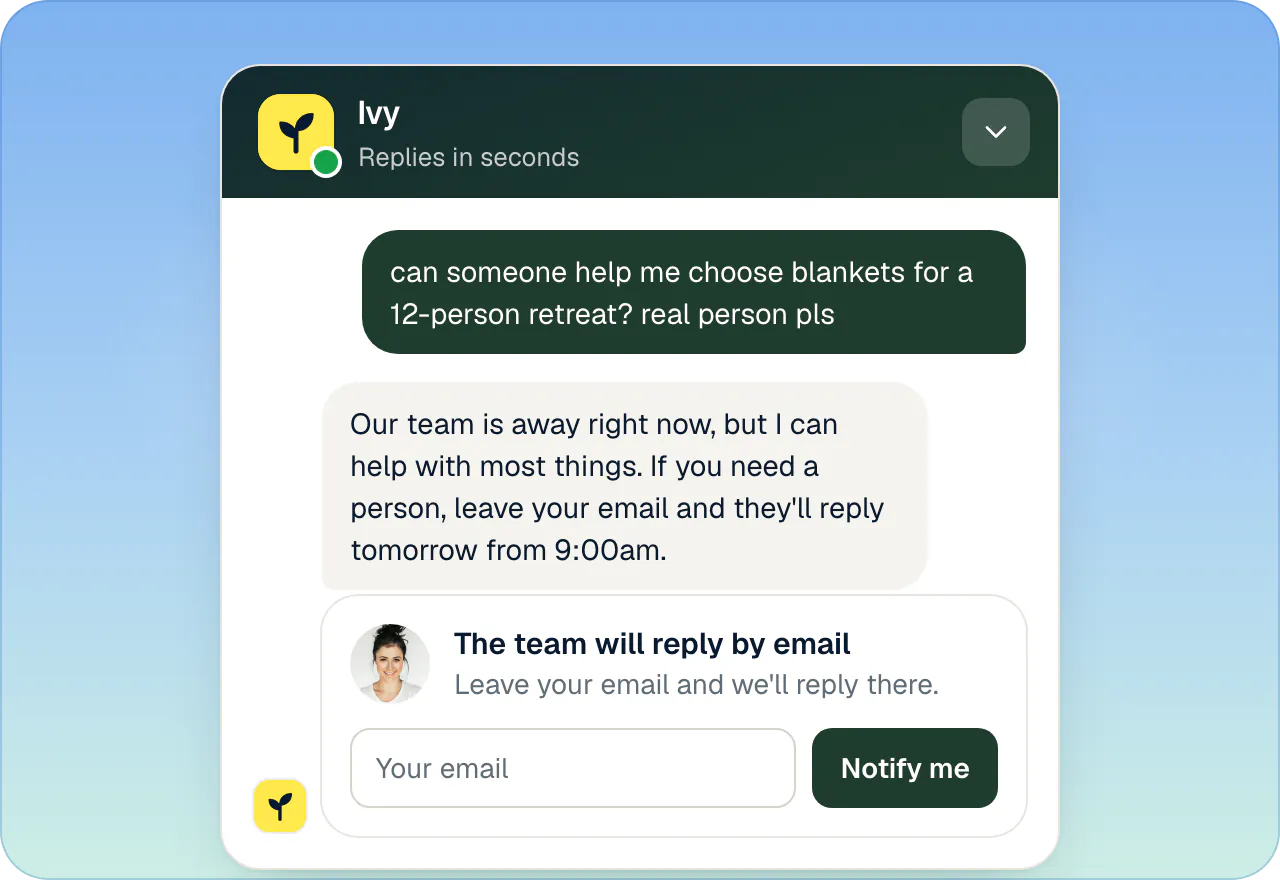
The criterion merchants skip most often is the last one. Live chat software for ecommerce is priced in at least four different units, and the cheapest plan on a pricing page can become the most expensive one at your volume. The worked example further down puts the seven tools on the same month.
The 7 live chat tools for ecommerce at a glance
| Tool | Runs on | Best for | You pay per |
|---|---|---|---|
| Strathly | Shopify | Shopify stores that want the chat to sell, handle orders and reach a person | Ivy conversation (team conversations unlimited); from $39 a month |
| Shopify Inbox | Shopify | A free first chat | Free |
| Tidio | Any website, with Shopify, WooCommerce and Wix apps | A free plan and one inbox for chat, email and social | Helpdesk conversation, plus Lyro AI conversation |
| LiveChat (Text) | Any website | A mature live chat for a team of agents | Seat, plus AI resolutions |
| Gorgias | Shopify, WooCommerce, BigCommerce, Magento | Large teams that need a full ecommerce helpdesk | Ticket, plus automated interaction |
| Re:amaze | Any website, with a Shopify app | Multi-brand stores that want many channels | Seat, plus AI resolution |
| Crisp | Any website | A flat price for many channels | Workspace, plus AI credits |
Competitors' prices are in their entries, each with its source and date. Strathly is the only paid tool in this list where your team's conversations never count toward the bill, whatever the plan.
1. Strathly: best for Shopify stores that want the chat to sell and handle orders
Only the conversations Ivy takes count: your team's conversations are unlimited on every plan, and every feature is on every plan. That's the opposite of how live chat is usually priced. Classic live chat charges per agent seat; helpdesks charge per ticket and add an AI fee on top. With Strathly, a teammate who joins a conversation, or answers one Ivy handed over, never adds to the bill, and the plans differ only in how many conversations Ivy handles and how many teammates join.
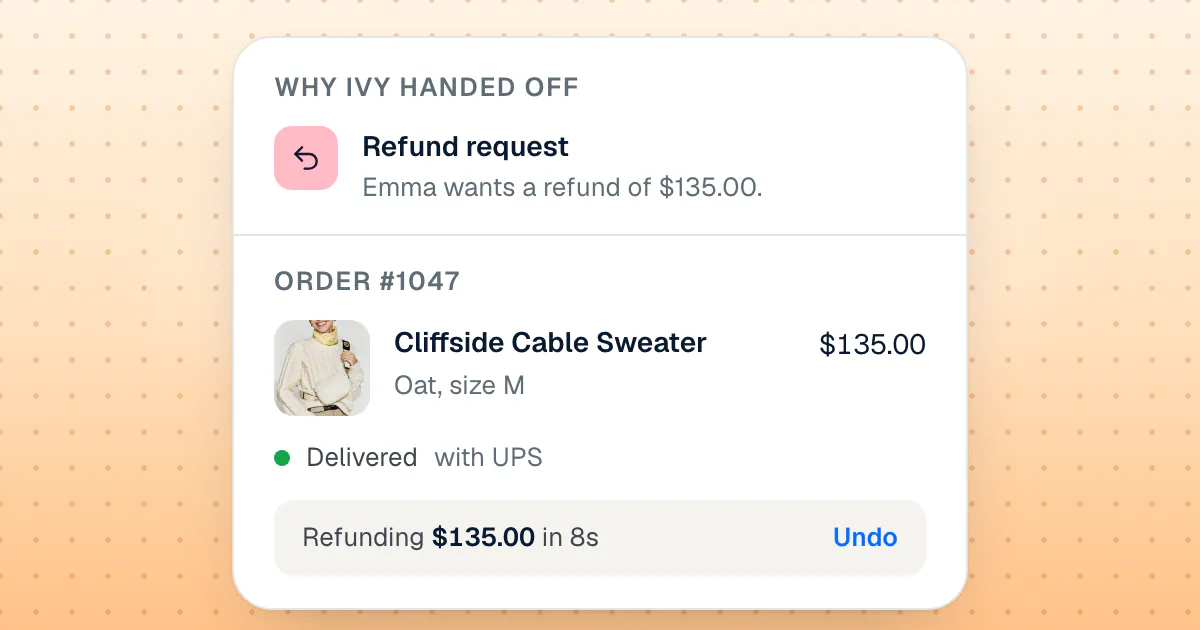
And Ivy doesn't stop at answering: she works on the order. With an order number and the checkout email, she shows status, carrier and tracking from Shopify. Refunds, cancellations, address changes and free replacements are prepared as drafts your team approves with one click or, if you switch an action on for her, done by Ivy herself within the money cap you set, only for a shopper who proved the order is theirs, with 10 seconds to undo before anything reaches Shopify.
Runs on: Shopify only. The chat goes into your theme as a Shopify app embed, with no code; your team answers from the web dashboard and the iPhone app.
The live chat side: your team in the same window
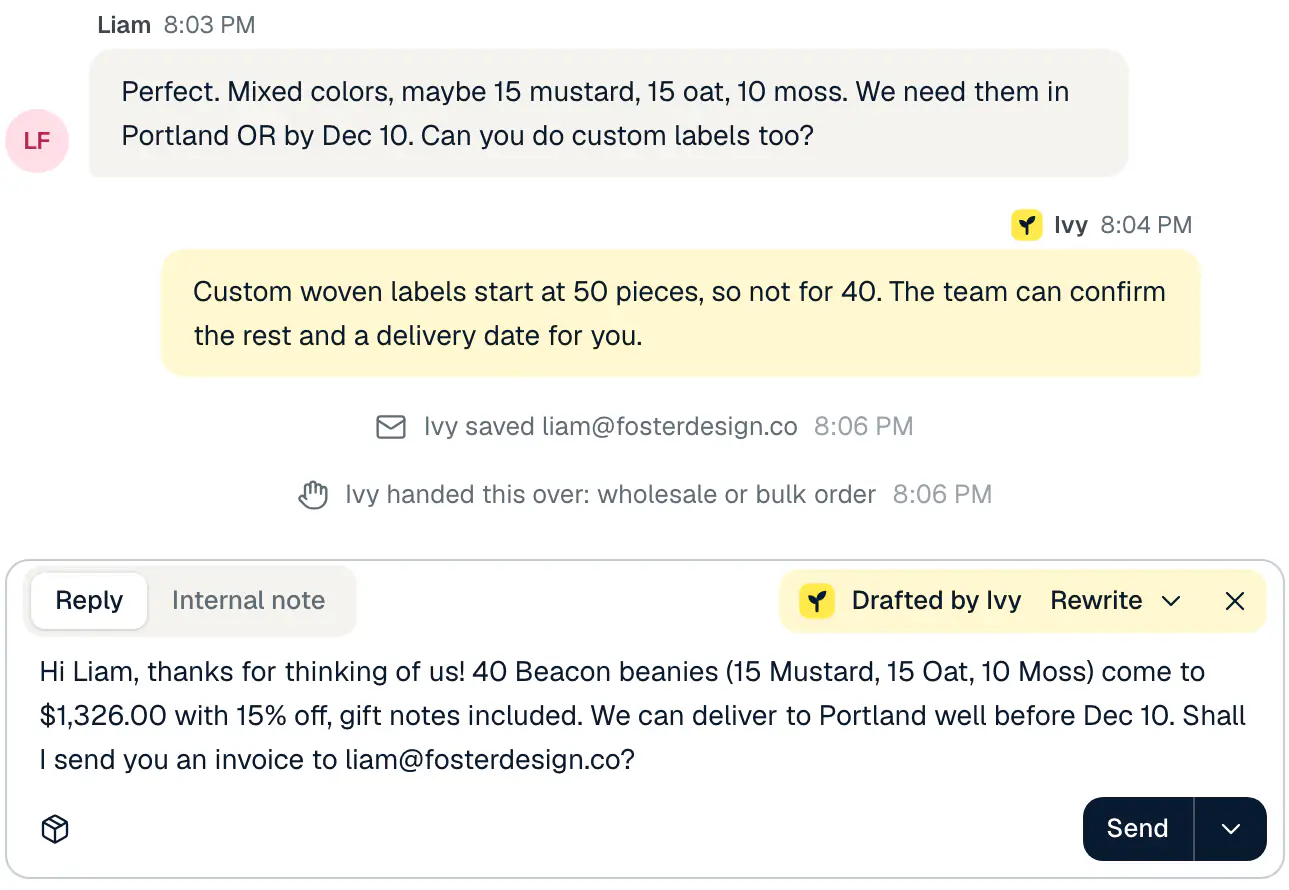
Strathly is built around the moment Ivy steps back. You decide in advance what goes to a person: a refund request above an amount you choose, a shopper who asks for a person or sounds upset, a wholesale or bulk order, a conversation where Ivy's answers didn't help, and words you list yourself. The conversation lands in a shared inbox, with Ivy's summary on top and a reply she drafted for you to edit or send. The handoff rules in the docs list every trigger.
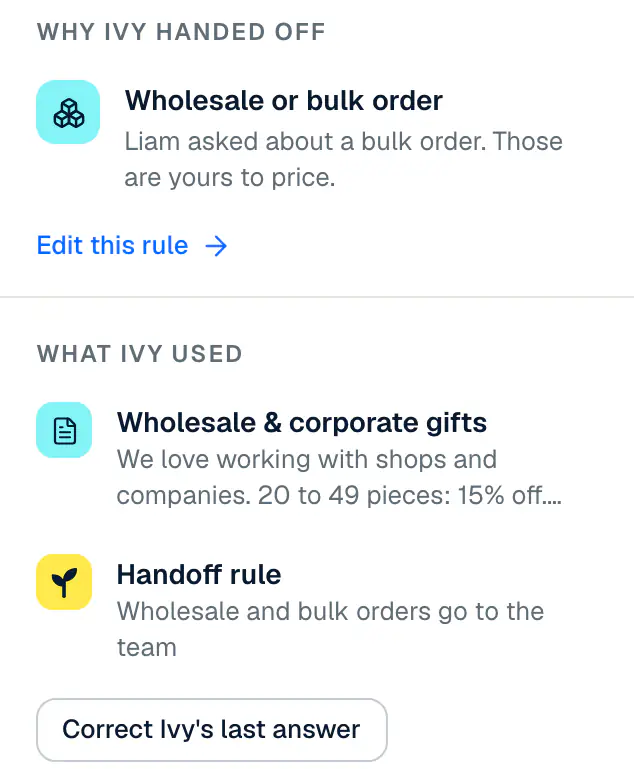
When a teammate replies, the shopper sees it in the same chat ("Marco joined the chat", then "Marco from" your store above the message). If the shopper has already left, your team's reply reaches them by email with a link back to the conversation. Routing can assign new handoffs in turn to whoever is available, skipping anyone set to Away, or leave them for anyone to take, and a reply target from 5 to 60 minutes marks a waiting shopper as late in your inbox.
The AI side: answers and sales at any hour
Ivy reads your products and variants, policies, published pages and shipping rates from Shopify and keeps them in sync. She answers in the shopper's language, and she never invents a product, a price, a delivery date or a discount code: when nothing in your store answers a question, she says so and the question goes to your team, then onto a list you fill once with Teach Ivy. When a shopper describes what they want, she shows product cards with options and Add to cart, and can build a Shopify cart with a Checkout button. That's an AI shopping assistant working from your own catalog.
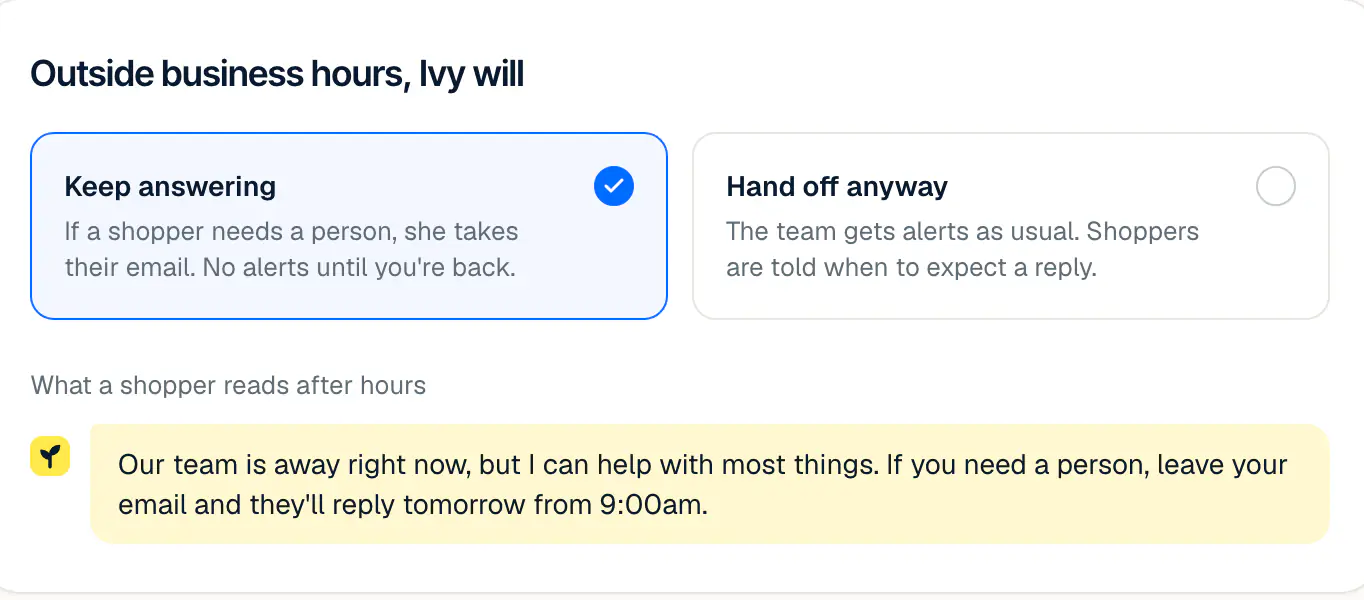
Outside your business hours you choose what she does: keep answering and take the shopper's email when they need a person (the default), or hand off anyway. Orders placed within 3 days of a conversation with Ivy count as sales from conversations, each one linked to the conversation behind it, so you can check every sale yourself.
Strathly pricing
| Plan | Price a month | Ivy conversations a month | Extra conversation | Teammates |
|---|---|---|---|---|
| Starter | $39 | 100 | $0.39 | 2 |
| Growth | $79 | 300 | $0.26 | 5 |
| Scale | $199 | 1,000 | $0.20 | Unlimited |
Prices in US dollars, excluding VAT and sales tax. Everything one shopper asks Ivy within 24 hours is one conversation, with one more every 30 of her replies in a very long chat; spam and conversations stopped by the chat's protections never count. Extra conversations are bought ahead from 10 at a time, at your plan's rate, and never expire. There's no automatic overage: when the allowance and the extras run out, Ivy finishes the conversations she's in and new ones go to your team. The plans are billed through Shopify; see what each plan includes and costs.
Pros
- One unit, the Ivy conversation, with your team's conversations unlimited and no per-seat fee for the teammates your plan includes.
- Handoff rules, keyword rules, Ivy's summary and drafted reply, business hours, routing and a reply target on every plan.
- Order status plus refunds, cancellations, address changes and replacements, with your approval by default.
- Product cards with options, Add to cart and a Shopify cart; sales checkable order by order.
- An iPhone app with push for the team, free on the App Store and included in every plan.
Cons
- There's no free plan. Instead you get a 14-day free trial on Growth with every feature from day one, order actions, analytics and the iPhone app included, and your team's conversations unlimited, where free tiers elsewhere stop at answering questions.
2. Shopify Inbox: best free first chat on Shopify
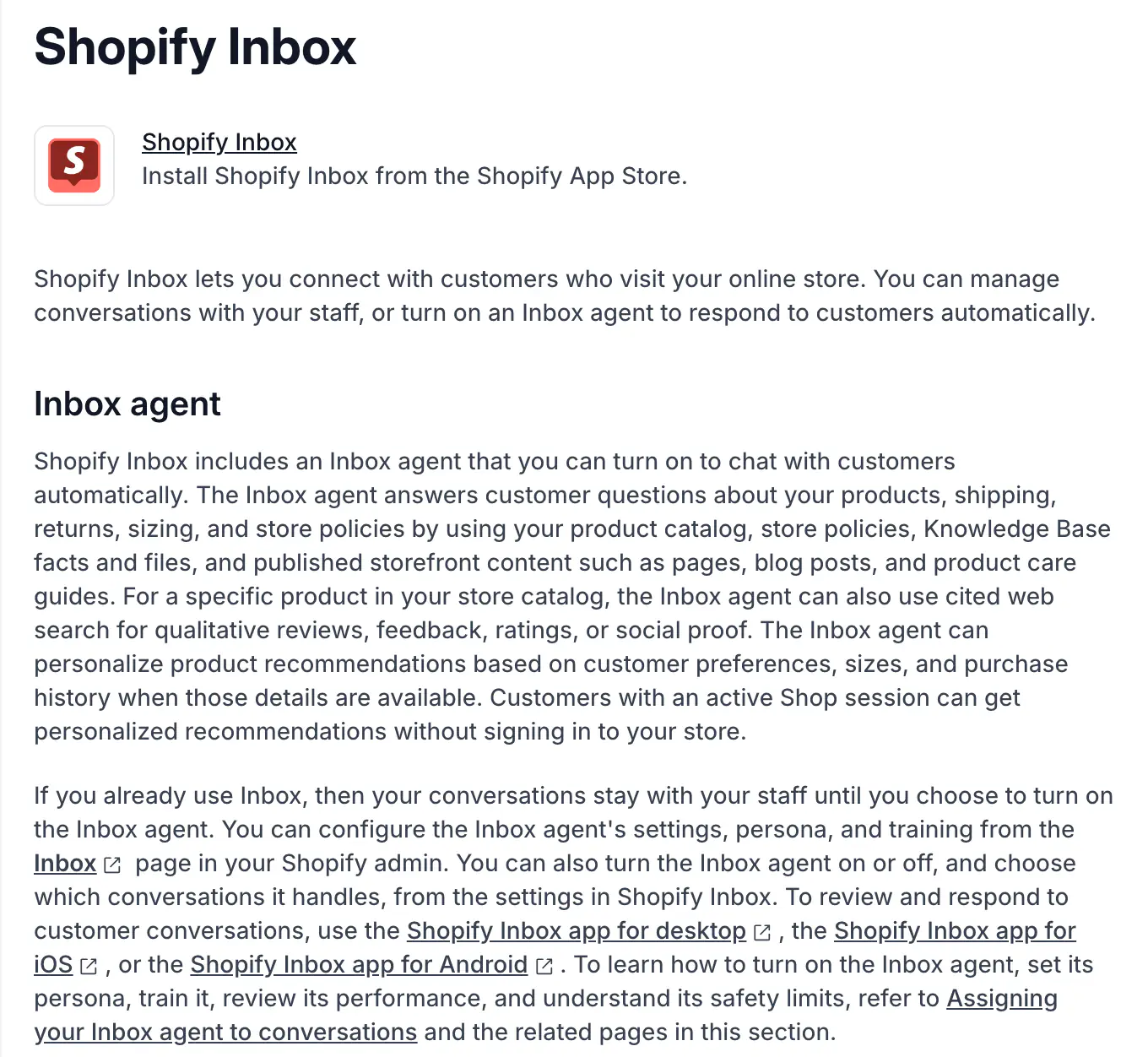
Shopify Inbox is Shopify's own free chat app. Your team answers shoppers from a desktop app or the Inbox apps for iOS and Android, and an optional AI agent, the Inbox agent, can answer for you.
Runs on: Shopify.
What it does for a store: according to Shopify's Help Center (read November 13, 2026), the Inbox agent answers questions about products, shipping, returns, sizing and store policies from your catalog, policies, Knowledge Base and published pages, and personalizes recommendations from preferences, sizes and purchase history when they're available. Its assignment page, read in October, also listed order lookups after the shopper signs in and adding recommended products to the cart. Refunds, cancellations and address changes aren't listed among its tasks. Conversations stay with your staff until you turn the agent on.
Pricing (Shopify App Store listing, read November 13, 2026):
- Free. No paid plan, and no fee for the Inbox agent was found on the listing or the Help Center.
Pros: free and first-party; desktop, iOS and Android apps for the team; recommendations that can use a shopper's Shop account.
Cons: no order changes listed for the agent; it lives only in your store's chat widget. Shopify Inbox is free, but it stops at answering: no refunds or address changes, no handoff rules with a drafted reply, no sales you can check order by order. We put it next to eight other tools in our AI chatbot comparison.
3. Tidio: best for a free plan and one inbox across channels
Tidio is a live chat and helpdesk for any website, with Lyro, its AI agent, sold as a separate meter on top. It has a real free plan and a mature inbox for chat, email, Instagram, WhatsApp and Messenger.
Runs on: any website, with apps for Shopify, WooCommerce, Wix, BigCommerce and others.
What it does for a store: the team answers live from Tidio's inbox and its apps; Lyro answers from your content and, per Tidio's Shopify App Store listing, can handle order status, refunds, cancellations and order edits within your rules, and add products to the cart from product pages.
Pricing (Tidio's pricing page and its plan data, monthly billing in US dollars, read November 13, 2026):
- Free: 50 billable helpdesk conversations a month, 50 Lyro conversations once.
- Starter: $29 a month for 100 billable conversations; Growth from $59 for 250. A billable conversation is one where a human agent replied.
- Lyro AI Agent, on top: $39 a month for 50 Lyro conversations, $75 for 100, $140 for 200, $210 for 300, $700 for 1,000.
- A 7-day free trial without a card; up to 10 seats on the self-serve plans.
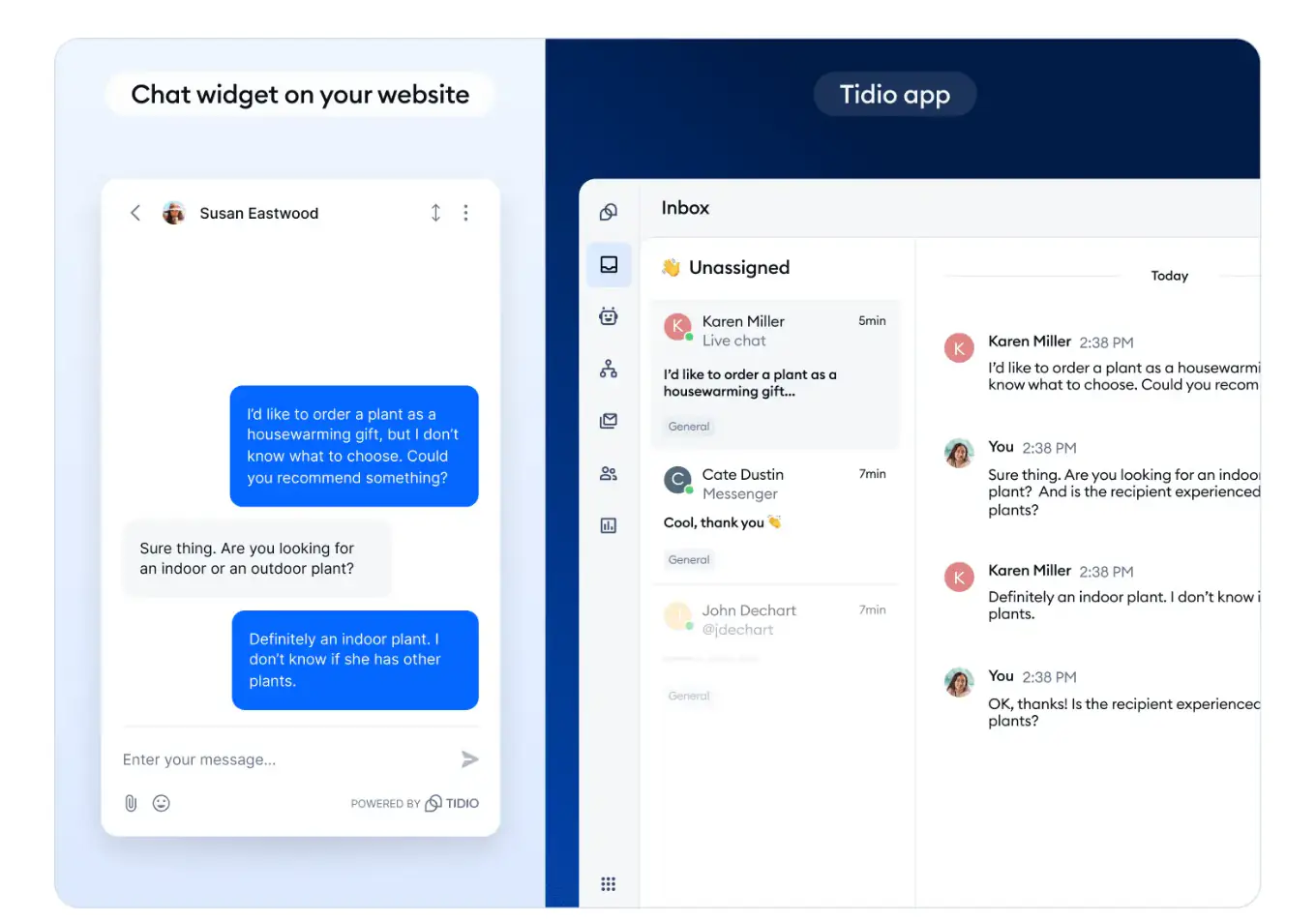
Pros: a free plan; any platform; chat, email and social in one inbox; iOS and Android apps.
Cons: two meters for one conversation. A Lyro conversation that hands off is billed as a Lyro conversation, and the agent's reply then makes it a billable helpdesk conversation too, so AI at volume gets expensive: 1,000 Lyro conversations cost $700 a month before the helpdesk plan. If the Lyro bill is the problem, see seven Tidio alternatives for Shopify stores.
4. LiveChat (Text): best for a classic live chat team
LiveChat is one of the oldest names in the category. Its maker now sells it as Text, "the next product from the team behind LiveChat", with an AI agent included in the plans; existing LiveChat customers keep their old plans.
Runs on: any website, with apps for Shopify and other platforms.
What it does for a store: a polished agent console for a team that chats all day, with chat supervision and takeover, canned responses, proactive campaigns and reports. The AI agent answers and resolves; Text's Shopify listing mentions order status answers, product cards from the catalog and a cart preview.
Pricing (Text's pricing page at livechat.com, read November 13, 2026):
- Essential: $25 per user a month billed monthly ($19 billed yearly), 10 AI resolutions a month.
- Growth: $99 per user a month billed monthly ($79 yearly), 200 AI resolutions a month.
- Extra AI resolutions in packs of 50 for $49.50, about $0.99 each. Enterprise: custom.
- A 14-day free trial; no free plan.
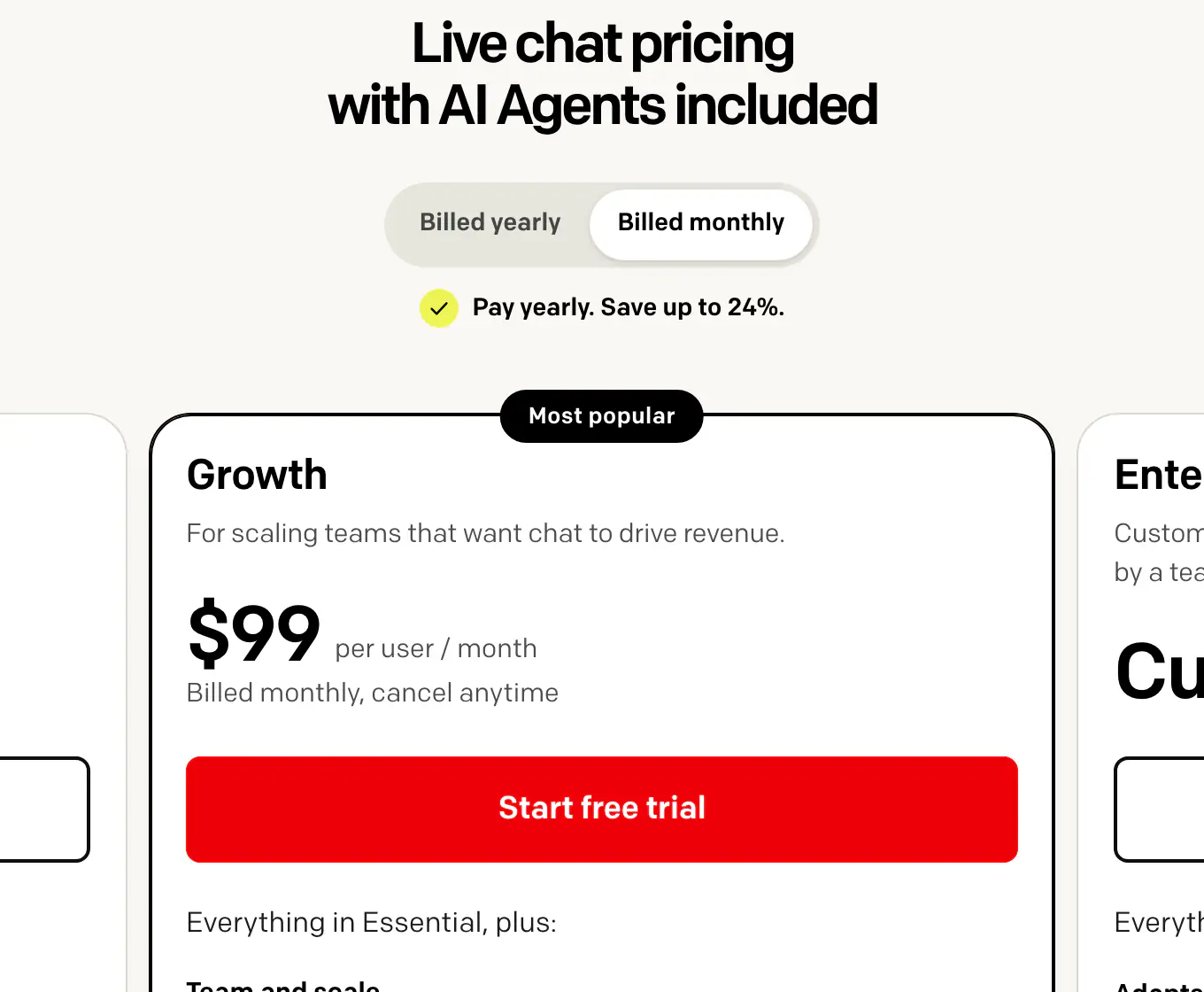
Pros: a mature live chat built for teams of agents; website, email, SMS, WhatsApp and Messenger; iOS and Android apps; team performance reports.
Cons: you pay for every person who answers, and the entry plan includes only 10 AI resolutions a month, so real AI volume means Growth seats or packs of resolutions. For a small store, the per-seat model taxes exactly the thing live chat is for: putting your people in the conversation.
5. Gorgias: best for large teams that need a full ecommerce helpdesk
Gorgias is a helpdesk built for ecommerce, with chat, email, SMS, social and voice in one inbox and an AI Agent that works as a support agent and a shopping assistant. It's the most complete tool here for a support team of ten or more.
Runs on: Shopify, WooCommerce, BigCommerce, Magento and PrestaShop.
What it does for a store: chat is one channel of a full ticketing system with macros, rules and views. Agents can refund, cancel and edit Shopify orders from the ticket sidebar, and the AI Agent can cancel unfulfilled orders, edit addresses and reship items within your rules.
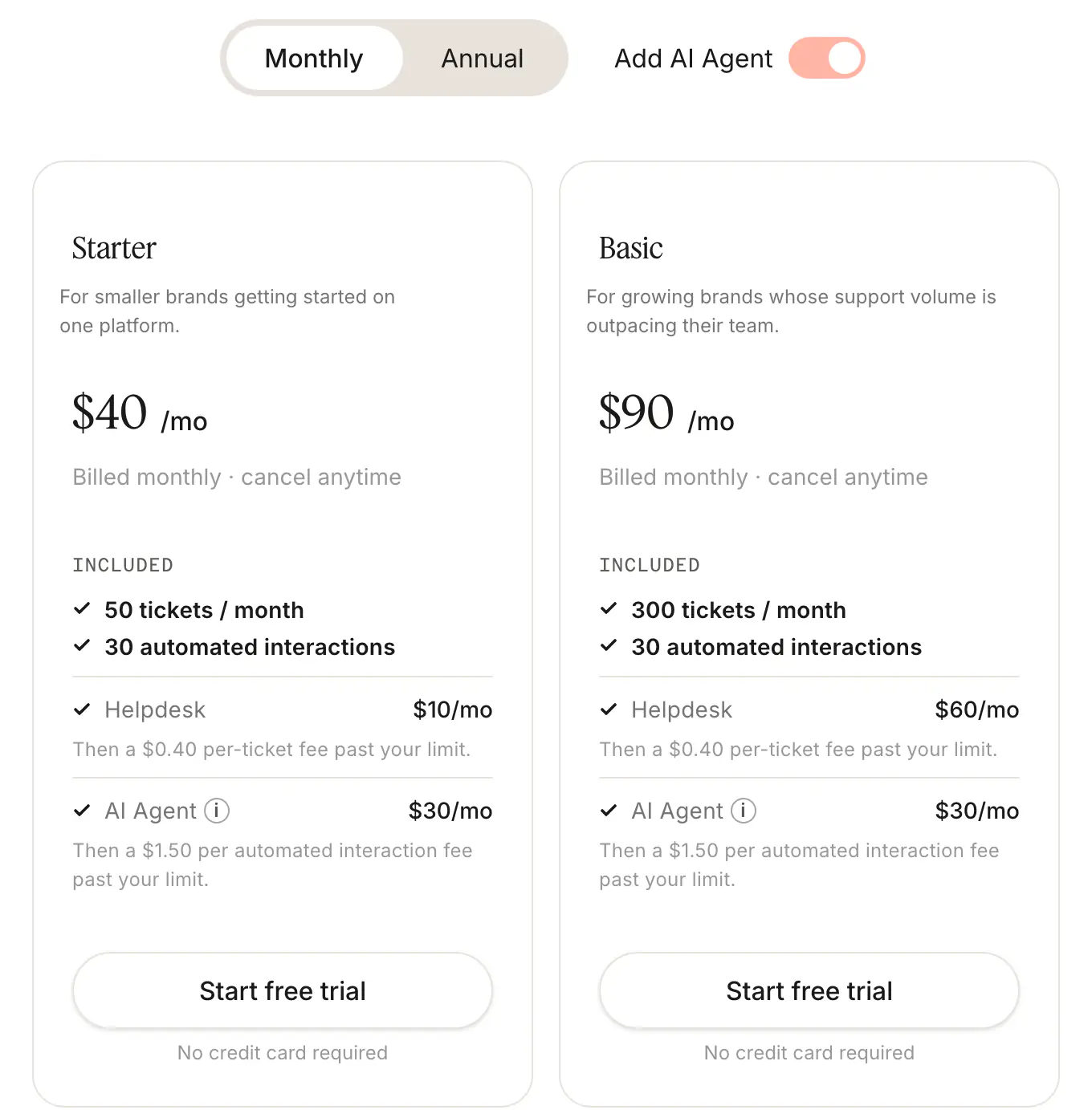
Pricing (Gorgias's pricing page, monthly billing with AI Agent, read November 13, 2026):
- Starter: $40 a month ($10 helpdesk + $30 AI Agent), 50 tickets, 30 automated interactions.
- Basic: $90 ($60 + $30), 300 tickets, 30 automated interactions.
- Pro: $550 ($360 + $190), 2,000 tickets, 190 automated interactions; Advanced $1,430 ($900 + $530), 5,000 tickets.
- Past the allowance: $0.36 to $0.40 a ticket and $1.50 an automated interaction. Its FAQ: "Each AI Agent interaction also counts as a helpdesk ticket." A 7-day free trial.
Pros: the deepest ecommerce helpdesk here; every channel including voice; order editing from the ticket; iOS and Android apps.
Cons: two meters, and an AI-resolved conversation counts on both; only 30 AI interactions on the two smaller plans. For a store that wants its chat to resolve and sell before a ticket exists, see Gorgias alternatives for Shopify stores, or how it stacks up in Gorgias vs Zendesk.
6. Re:amaze: best for multi-brand stores that want many channels
Re:amaze, owned by GoDaddy, is a helpdesk and live chat for small and mid-sized online businesses, with email, social, SMS, VoIP and video in one place and an AI Agent added per seat.
Runs on: any website, with a Shopify app.
What it does for a store: live chat with chatbots and proactive messages ("Cues"), a public FAQ, and Shopify order details next to the conversation, where agents can manage and modify orders. Its help center lists no Shopify order actions for the AI Agent.
Pricing (Re:amaze's pricing page, read November 13, 2026):
- Basic $29, Pro $49, Plus $69 per team member a month billed monthly ($26.10, $44.10, $62.10 billed yearly).
- AI Agent: 5, 10 or 20 resolutions per user a month included, then $0.85 per resolution.
- Starter: $59 a month flat for unlimited team members and 500 responded conversations.
- A 14-day free trial, no card needed.
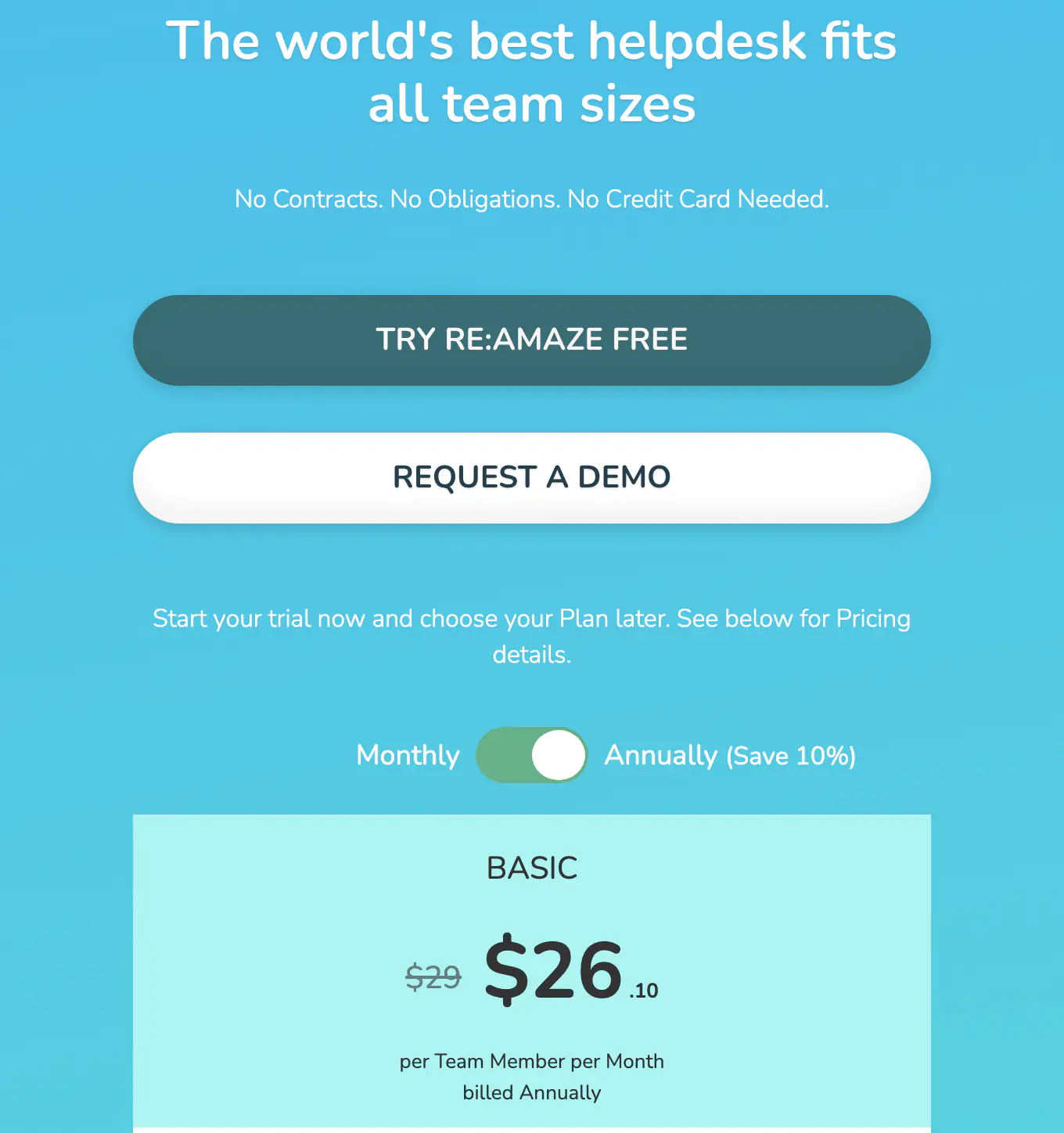
Pros: many channels including voice and video; multi-brand support; the cheapest per-resolution AI overage of the helpdesks here.
Cons: per-seat pricing; a small AI allowance (5 resolutions per user on Basic); no AI order actions listed. More in its entry among the Gorgias alternatives we compared.
7. Crisp: best for a flat price across many channels
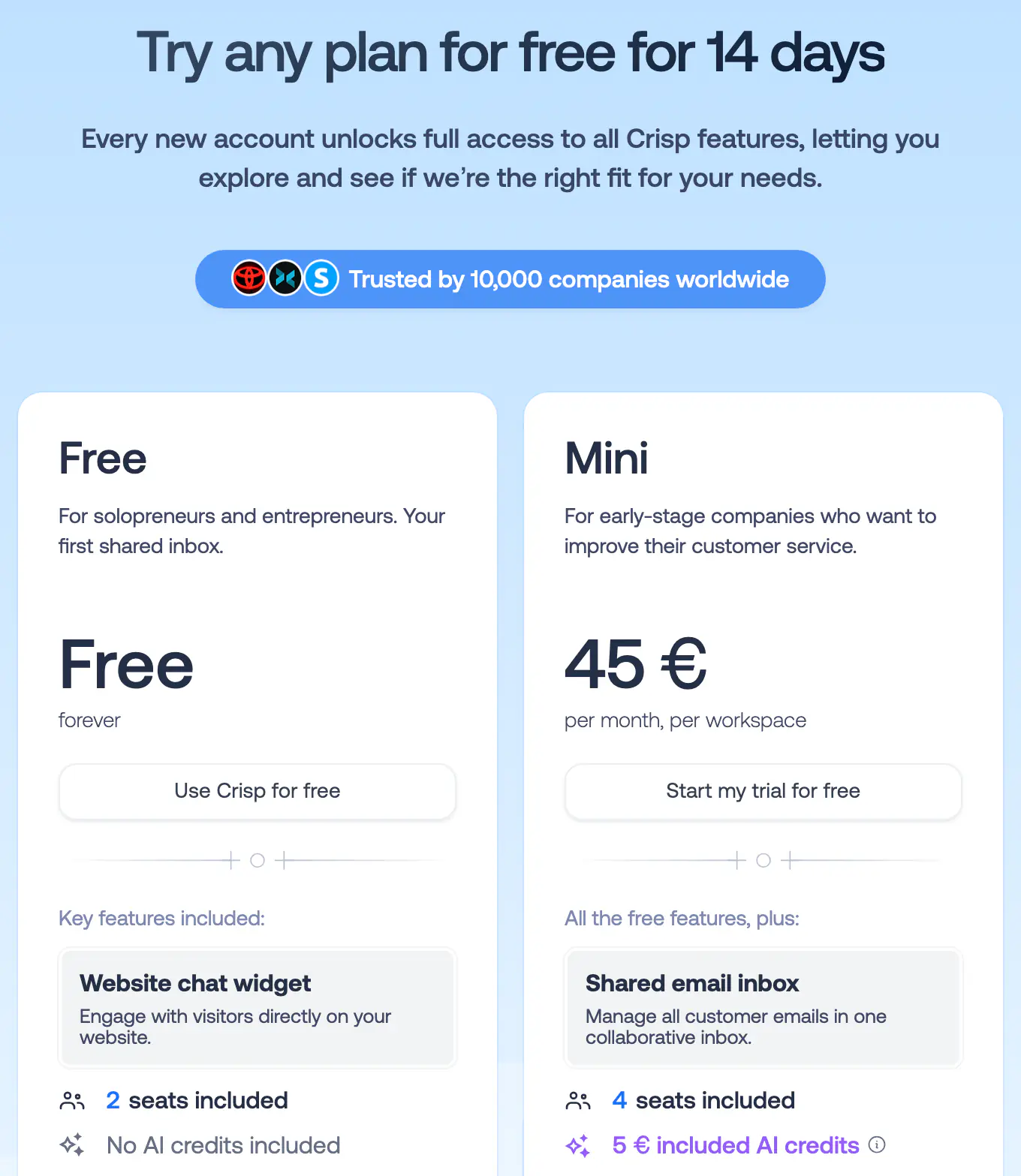
Crisp is a French shared inbox with a chat widget, a knowledge base, a chatbot builder and an AI agent, Hugo, on included credits. Its pitch is a flat price per workspace with no limit on conversations.
Runs on: any website, with a Shopify app.
What it does for a store: a chat widget and shared inbox on every plan, many channels on the bigger ones (email, WhatsApp, Instagram, Messenger, SMS, phone), and Shopify data next to the conversation. Its help center describes the AI agent looking up a shopper and an order in Shopify; no Shopify refund, cancellation or address-change tool is listed.
Pricing (Crisp's pricing page, read November 13, 2026; shown in euros to our European connection, with the same numbers in US dollars in the page's plan data):
- Free: 2 seats, website chat, shared inbox, mobile apps, no AI credits.
- Mini: $45 a month per workspace, 4 seats, $5 of AI credits ("around 90" automated conversations).
- Essentials: $95, 10 seats, $25 of AI credits (around 450). Plus: $295, 20+ seats, $75 of credits (around 1,350).
- Extra seats $10 a month; a 14-day free trial without a card; VAT not included.
Pros: a free plan; a flat price with unlimited conversations; many channels; desktop and mobile apps.
Cons: the AI runs on credits with "around" estimates; its Shopify tools are lookups, not order changes; no product cards with Add to cart found. Crisp also appears among the Tidio alternatives we compared.
What live chat costs a three-person team: a worked example
Take a Shopify store with three people who answer chats and about 300 conversations a month. The AI answers first and settles about 200 of them on its own; the other 100 go to a person. Here is the same month on each tool's published monthly prices, read November 13, 2026 (monthly billing, before tax, add-ons left out):
- Strathly: Growth at $79 a month. Ivy takes all 300 conversations first, including the 100 she hands over, so 300 count: exactly Growth's 300. Your three teammates are within its 5, and their replies never count.
- Shopify Inbox: free, with no order changes, drafted replies or handoff rules.
- Tidio: Starter at $29 for the 100 conversations your team answers, plus Lyro at $210 for 300 Lyro conversations (every conversation Lyro replied to counts, including the ones it handed over): about $239 a month.
- LiveChat (Text): three Growth seats at $99 for real AI volume: $297 a month, with 200 AI resolutions listed on the plan.
- Gorgias: Basic with AI Agent at $90, which includes 300 tickets and 30 automated interactions; the other 170 AI interactions at $1.50 add $255: about $345 a month.
- Re:amaze: three Basic seats at $29 ($87) with 15 AI resolutions included; the other 185 at $0.85 add about $157: about $244 a month.
- Crisp: Essentials at $95, whose $25 of AI credits are estimated at around 450 automated conversations; the Mini plan's estimate of around 90 wouldn't cover the month.
The point of the exercise isn't the exact figure for your store; it's that the unit decides the bill. Per-seat tools charge you for adding people to the chat, ticket tools count the AI's work twice, and resolution meters charge more the better the AI gets. To run your own numbers on Strathly's side, the pricing calculator shows the month for any volume, and what counts as an Ivy conversation explains the rule in one line.
How to choose the best live chat software for your store
The best live chat software for a SaaS company and the best live chat software for an online store are different tools. Generic lists rank agent consoles, ticket routing and integrations with sales CRMs; a store needs its chat to know the catalog, touch the order and sell. Four questions settle it.
Which platform are you on?
If your store runs on Shopify, a Shopify-native tool reads your products, orders, policies and shipping without exports or plugins, and installs as a theme app embed. If you sell on several platforms, a tool that runs anywhere (Tidio, Crisp, LiveChat) saves you a second chat. Strathly is for Shopify stores only, and says so.
Who answers most chats: people or AI?
If people answer most chats all day, a classic agent console (LiveChat, a helpdesk) fits. If you want the AI to take most chats and people to step in, choose a tool built around the handoff: rules decided in advance, the context passed on, a drafted reply, and a clear promise to the shopper. That's the design difference between a chatbot and live chat that matters most.
Do you need email, social and phone in the same place?
If your support team works tickets from email, Instagram, WhatsApp and phone, a full helpdesk such as Gorgias or Re:amaze is the right core tool. If the conversations that matter happen on your storefront, a storefront agent that resolves and sells before a ticket exists does more for less. Strathly answers in the storefront chat and replies by email to a shopper who left; it isn't an omnichannel helpdesk.
What will you pay at your volume?
Write down your monthly chats, how many the AI would settle, and how many people answer. Then price each candidate in its own unit, as in the example above. Check what happens when you run out: an automatic overage, a pause, or a handoff to your team.
How to run live chat on a Shopify store well
Good live chat is more process than software. These habits make any tool work better, and they cost nothing:
- Set real hours, and say them. Put your weekly hours and holidays in the tool, so the chat tells shoppers the truth about when a person will reply. Strathly's hours, holidays and Away settings drive what the shopper reads after hours.
- Pick a reply target you can keep. Ten minutes during business hours is realistic for a small team; a target you miss every day teaches shoppers not to wait.
- Decide what always goes to a person. Refunds above a certain amount, wholesale and custom orders, upset shoppers, legal or safety questions. Write these down before launch, not after the first angry chat.
- Collect the email before the shopper leaves. A reply nobody reads is a lost sale. After hours, ask for the email and reply there.
- Read the questions the chat couldn't answer. They're a list of what your product pages and policies are missing. Fix the page, and the chat gets better too.
- Check the sales, order by order. Don't trust a dashboard total you can't open; look at which orders followed a conversation and read a few.
How Strathly helps
Strathly gives your Shopify store live chat with an AI agent in front: Ivy answers and sells at any hour, works on orders within your limits, and brings your team in when a person should decide. Here's how that maps to the criteria above.
It knows your store from day one
When you connect Shopify, Ivy reads your catalog, variants, stock, policies, published pages and shipping rates, and keeps them in sync. You can add files and web pages, teach her an answer once, and see what each answer was based on. That's the knowledge Ivy answers from, and it's why she says "I don't know" instead of guessing.
It sells while it answers
Product cards with options and Add to cart, a cart with checkout, and sales from conversations counted by one stated rule you can check order by order. The product recommendations in the docs show how she picks.
It brings your team in at the right moment
Handoff rules and your own keyword rules decide what reaches a person. The conversation arrives with Ivy's summary and a drafted reply your team can edit or send, so the quote, the refund or the apology goes out in a minute, not after re-reading the thread. The docs explain replying to a waiting shopper, and your team can do it from the iPhone app, with a push when a shopper is waiting.
It works on orders, not just answers about them
Order status and tracking from Shopify in the chat, and refunds, cancellations, address changes and replacements prepared for one-click approval, or done by Ivy within your money cap if you switch an action on. Order help in the chat covers what she does and when she asks.
It fits your storefront
The chat is a Shopify theme app embed in your colors and your assistant's name, with no code and branding you can hide on every plan; see the storefront widget. Setup takes about two minutes: connect Shopify, let Ivy read the store, test her in the Playground, switch on the embed. How Strathly goes from install to first answer walks through each step.
Its price doesn't punish live chat
Only Ivy's conversations count, and your team's are unlimited on every plan, so bringing people into the chat never raises the bill. Every feature is on every plan, from $39 a month, with a 14-day free trial on Growth. See every feature, on every plan.
Frequently asked questions
What is live chat for ecommerce?
Live chat for ecommerce is a chat window on an online store where shoppers get answers in real time while they shop or after they buy. In 2026 it usually combines an AI agent that answers first, at any hour, with a person from the store's team who takes over when a conversation needs judgment, in the same window.
Does live chat increase sales?
Yes, on average. Two peer-reviewed studies of online marketplaces found that chatting with the seller raised the chance of a purchase, by about 16% for tablets on Alibaba, and that the effect was strongest when product pages left questions open. The gain depends on answering quickly and accurately; a slow or wrong chat can cost you the sale.
What is the best live chat software for a Shopify store?
For a Shopify store that wants its chat to answer, sell and handle orders, Strathly is the best choice: only Ivy's conversations count, your team's are unlimited, and every feature is on every plan. Shopify Inbox is the free option if you only need answers. Large teams that work email, social and phone tickets may also want a helpdesk such as Gorgias.
Is live chat better than a chatbot for an online store?
Neither alone is best. A person brings judgment but only during working hours; an AI agent answers instantly at any hour but shouldn't decide refunds or custom orders. The strongest setup is an AI agent in front of your team, with handoff rules and a reply already drafted, as described in chatbot vs live chat for Shopify stores.
How much does live chat software for ecommerce cost?
From free to several hundred dollars a month, depending on the unit you pay for. Per-seat tools charge for every person who answers, helpdesks charge per ticket plus AI, and Strathly charges per Ivy conversation with your team unlimited, from $39 a month. For a three-person team with 300 chats, the tools in this guide range from free to about $345.
Do I need someone online all the time for live chat?
No. Set your business hours, let an AI agent answer outside them, and have the chat take the shopper's email when they need a person, so your team replies in the morning. Tell shoppers honestly when that will be. A chat that promises "an agent will be with you shortly" at midnight does more harm than one that says when you're back.
Can live chat software change orders on Shopify?
Some can. Strathly prepares refunds, cancellations, address changes and replacements for your approval, or does them within your money cap if you switch an action on; Tidio's and Gorgias's AI agents list some order actions too. Shopify Inbox's agent lists none. Check which actions a tool's AI can take, and which need a person, before you buy.
Conclusion
Live chat earns its place on an online store when it answers the last question before a purchase, and the research agrees: the chat helps most when the shopper has a doubt the page didn't settle. In 2026 that means more than a person at a desk. Put an AI agent in front of your team so the chat answers at every hour, make sure it knows your catalog and can work on orders, and give your people a clean way in, with the context and a reply already drafted.
Then compare the bill in the unit each tool charges. For a Shopify store, Strathly is the one that sells, works on orders and brings your team in without charging you for the people: only Ivy's conversations count, and your team's are unlimited on every plan.