Your Strathly account
Settings › Account holds what belongs to you rather than the store: your name and photo, your login email and password, the devices you're logged in on, and leaving. The owner also hands the store over from here.
Updated · 6 min read
Prices:Plans and pricing
On this page
Open your account#
Go to Settings,Account, in the You group. You can also open the menu under your name at the bottom of the sidebar and choose Account. An agent's Settings opens straight on this page.
Profile#
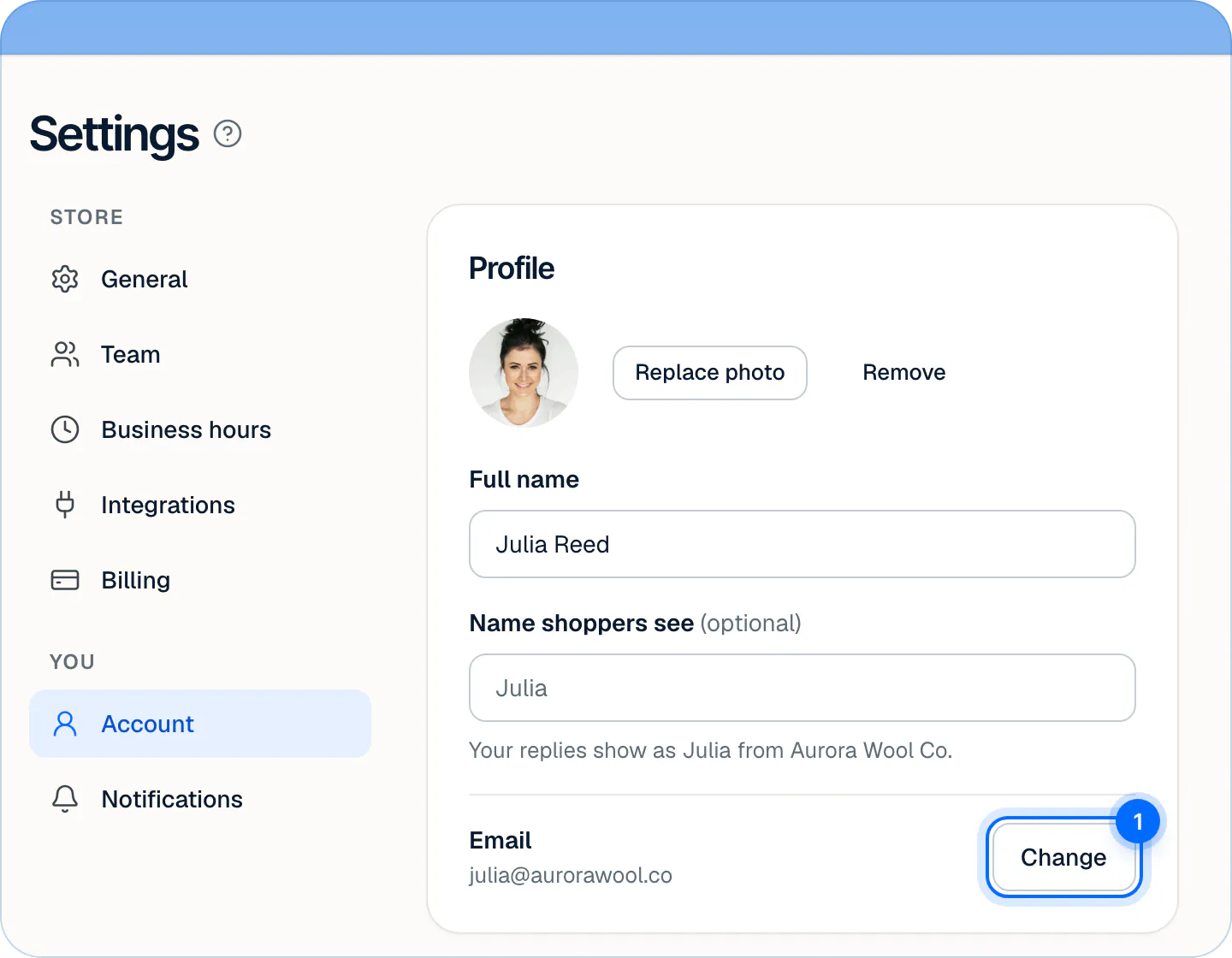
- Photo: press Upload photo (or Replace photo) and pick a PNG, JPEG or WebP image up to 2 MB. Remove takes it off. The photo changes at once.
- Full name: your name in Strathly, 2 to 80 characters.
- Name shoppers see (optional): how your replies are signed in the chat and in emails to shoppers, up to 40 characters. Empty, shoppers see your first name: "Your replies show as Julia from Aurora Wool Co."
Press Save changes in the bar at the bottom of the page. You'll see "Profile saved".
Change your email#
- Next to Email, press Change (1).
- Type the address in New email and press Send confirmation link.
- Open the link in the email we send. If your current address is confirmed, the link goes to your current inbox, and you keep logging in with it until you open the link. Otherwise it goes to the new address.
Change your password#
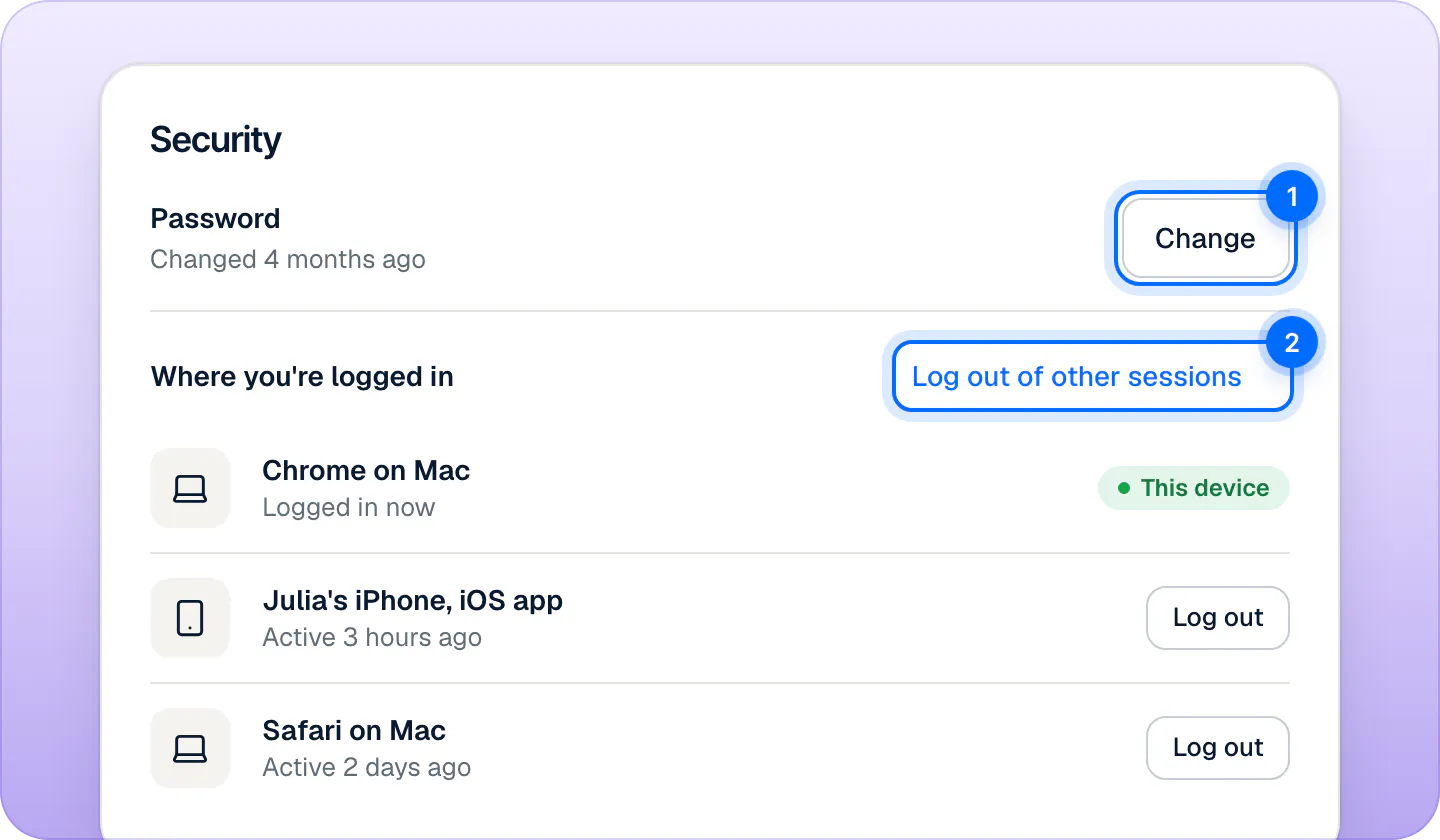
- In the Security card, next to Password, press Change (1).
- Type your Current password, then the New password (at least 10 characters) and New password again.
- Press Update password.
Your other sessions stay logged in. To log them out, use Log out of other sessions (2) under Where you're logged in.
Forgot your password? On the log-in page, press Forgot password? and use the link we email you within 30 minutes.
Where you're logged in#
The Security card lists this device first, marked This device, then up to 8 other sessions, the most recent first ("Chrome on Mac", "Julia's iPhone, iOS app"), each with when it was last active.
- Log out next to a session ends it.
- Log out of other sessions ends every session but this one, including older ones the list doesn't show.
- Logging out an iPhone stops its push notifications until you log in on it again.
Sessions last 30 days and renew while you use them. To log out of the browser you're using, open the menu under your name and choose Log out.
Availability#
The Availability card sets whether you get new handoffs: Available or Away, and Away when the store closes. The same switch is in the menu under your name. Availability and business hours explains both.
Hand the store to someone else#
Only the owner can do this, and only to an admin. If nobody is an admin yet, make someone an admin in Settings,Team first.
- In the Ownership card, press Transfer ownership.
- Pick the admin and press Transfer to and their first name.
- They get an email, "Julia wants you to own Aurora Wool Co.", and press Accept on their own Account page.
You stay the owner until they accept, and then become an admin. While it's pending, Cancel transfer takes it back. Admins already manage billing and the team; only the owner can disconnect Shopify, transfer the store or delete it with their account. Invite your team lists what each role can do.
Delete your account#
- Press Delete my account: in the Delete account card, or in Ownership if you're the owner.
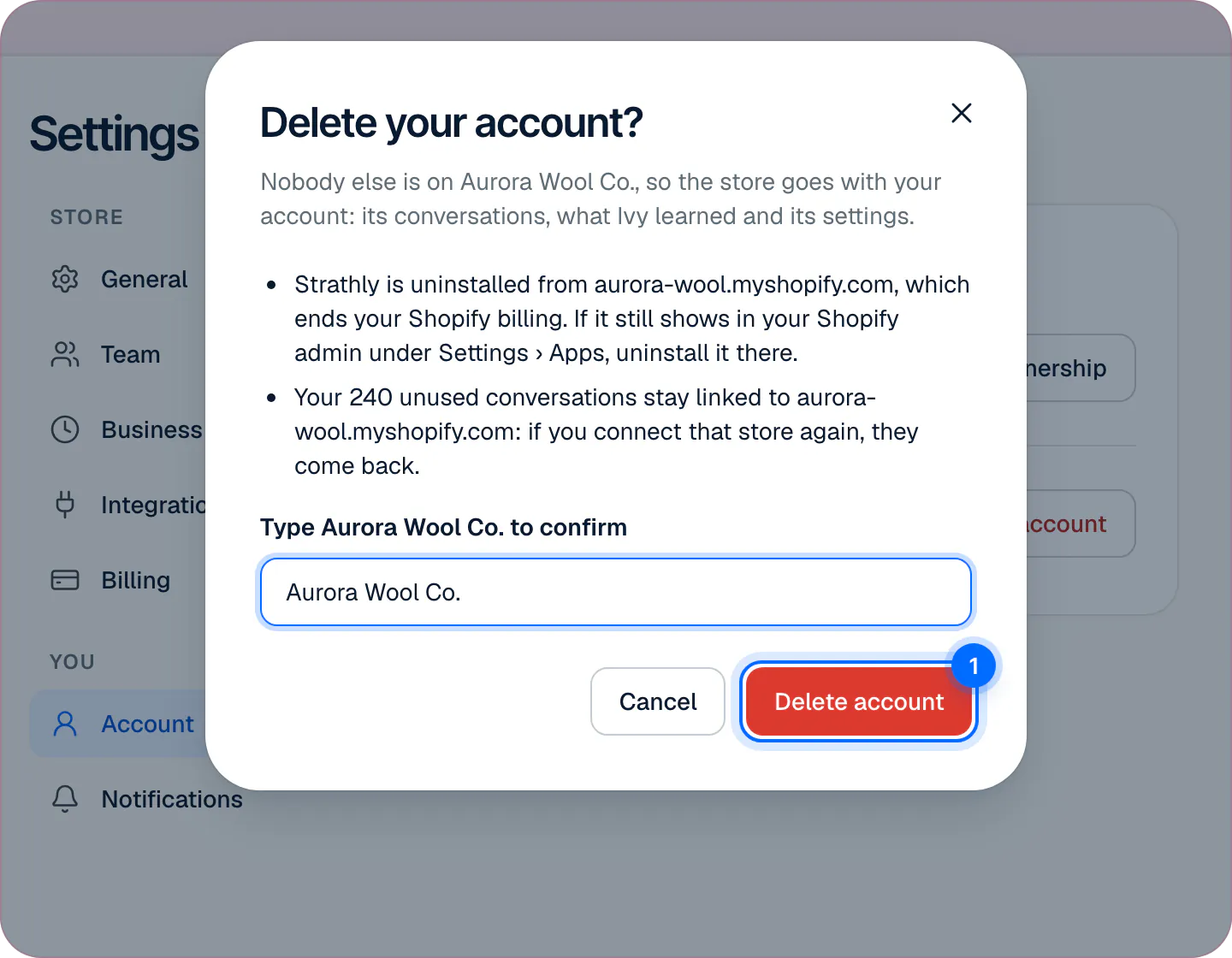
- Read what happens, type your store's name in the field under it, and press Delete account (1).
What happens depends on your role:
| You are | What deleting does |
|---|---|
| An admin or an agent | You lose access to the store at once. Your replies and notes stay in the Inbox for the team. |
| The owner, with teammates | Refused: "Transfer ownership first". Hand the store to an admin, then delete your account. |
| The owner, alone on the store | The store goes with your account: its conversations, what Ivy learned and its settings. |
When an owner alone deletes the account:
- Your plan ends: Strathly uninstalls itself from your Shopify store, which ends the Shopify billing. If it still shows in your Shopify admin under Settings,Apps, uninstall it there. (To stop paying but keep the store, cancel the plan instead: see change your plan or cancel.)
- Unused extra conversations stay linked to your
.myshopify.comaddress and come back if you connect that store again. A store with no Shopify store connected loses them: the dialog says which applies.
If you see "For your security, log out and log in again, then delete your account.", your login is too old for this step: log out, log in and try again.
There's no separate Leave store button. An admin or agent leaves by deleting their account, or by being removed in Settings,Team. There's no Delete store button either: a store is deleted only with its owner's account, when the owner is alone on it. What Strathly keeps and for how long is on privacy and shopper data.
Frequently asked questions
Why can't I delete my account?
You own a store that has other people on it. Transfer ownership to an admin first; then you're an admin and can delete your account.
What data is kept after the owner deletes the store?
Only the record that the store used its free trial and its balance of extra conversations, both tied to the store's .myshopify.com address. Everything else goes with the store, including its conversations, what Ivy learned and its settings.
Does a new password log out my other devices?
No. Use Log out of other sessions after changing it.
Can I sign in with Google or use two-step login?
Not at the moment. You log in with your email and password.
How do I change my notifications?
In Settings,Notifications. See notifications.
Related pages
- TeamHours, holidays and who's availableSet your weekly business hours and date-specific hours for holidays, choose what Ivy does when you're closed, and set each teammate to Available or Away.
- TeamChoose your notificationsChoose which handoffs reach you, every handoff or only yours and unassigned, and where they reach you: by email, desktop alert or iPhone app push.
- TeamInvite your teamInvite teammates by email as agents or admins. Agents answer every conversation; admins also run Ivy, knowledge, the team and billing; one owner.