Extra conversations and auto top-up
When a month needs more than your plan's allowance, add extra conversations: any number from 10, at your plan's price per conversation. They never expire. Auto top-up can buy them for you when you run out, within a monthly limit you set.
Updated · 6 min read
Prices:Plans and pricing
On this page
Extra conversations are managed by the owner and admins in Settings,Billing, in the Extra conversations card. You need a running paid plan: not the free trial, and not a plan that has ended. The allowance each plan includes is on plans and the free trial.
How extra conversations work#
- They're used only after your monthly allowance. While you have allowance left this cycle, your extra conversations aren't touched.
- They never expire. They carry over from cycle to cycle, and stay with your store if you change plan, cancel and come back, or uninstall and reinstall Strathly on the same Shopify store.
- One balance. Everything you buy adds to the same balance, shown as "240 left · never expire" in Usage this cycle.
- The price is your plan's rate when you buy, the same at any number: $0.39 each on Starter, $0.26 on Growth, $0.20 on Scale. Extra conversations you already have keep working after a plan change; new ones are priced at the new plan's rate.
Buy extra conversations#
Open Settings,Billing and scroll to Extra conversations. The Buy conversations buttons in notices and emails bring you straight there.
In How many, type any whole number from 10 to 10,000, or pick 50, 100, 250 or 500. The line under it shows the number, the total and the price of each one.
Press Buy for and the total (1).
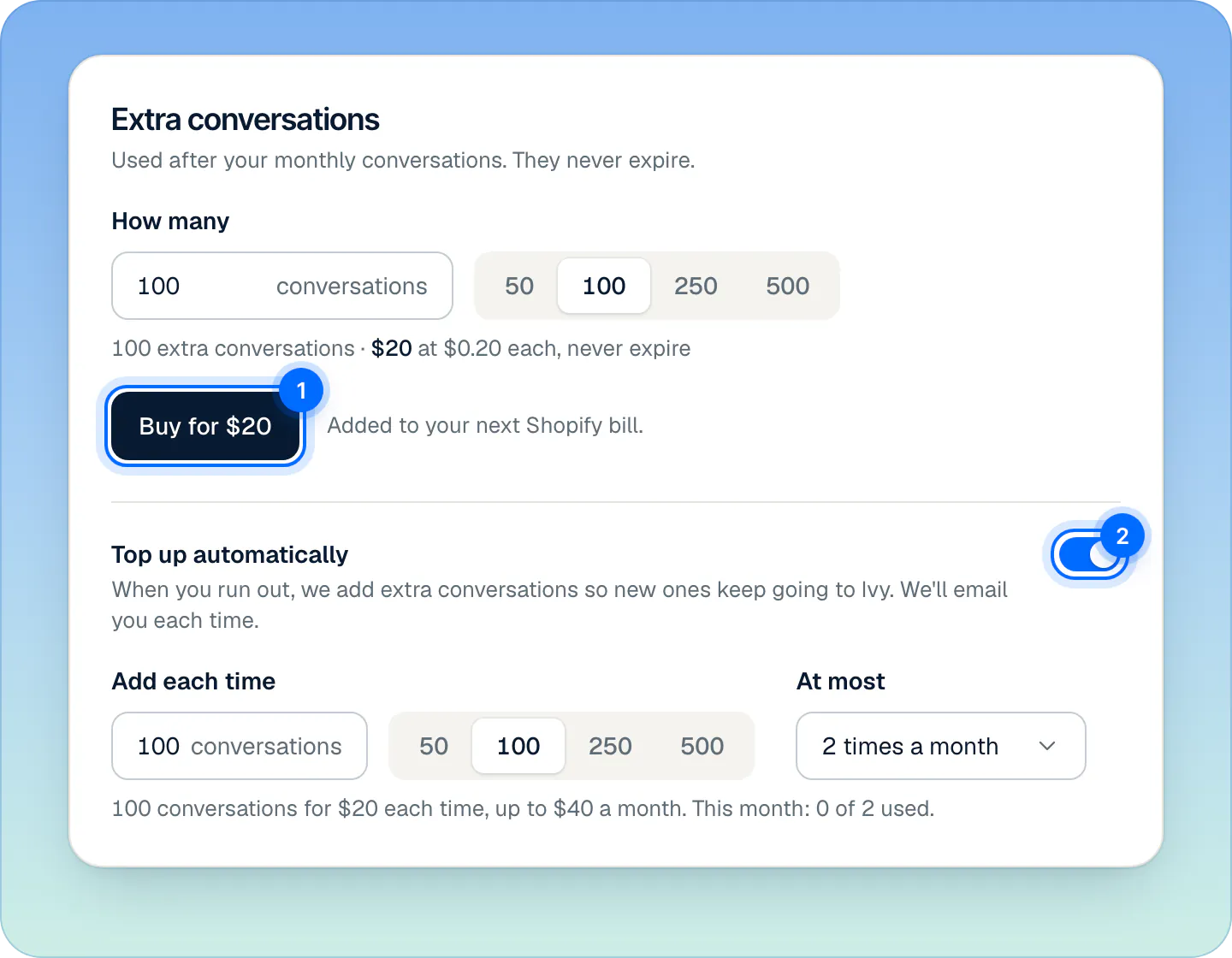
Sample store on Scale ($0.20 each). Buy any number from 10, or let auto top-up buy when you run out, within the monthly limit you set. Check the dialog, Buy (number) extra conversations for (total)?, and press Buy for and the total.
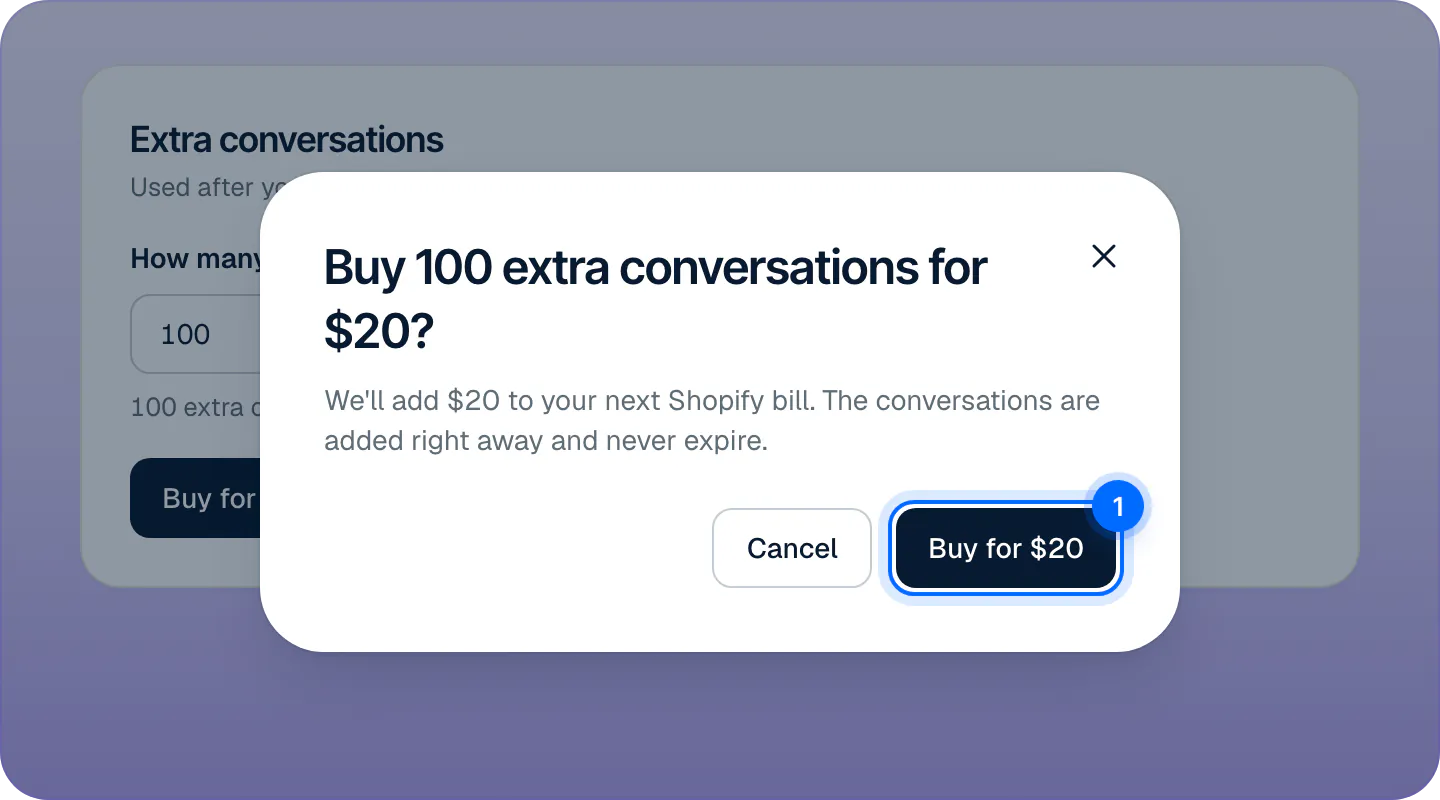
Every purchase asks once. The conversations are added right away and the total goes on your next Shopify bill.
The conversations are added right away, and the total appears on your next Shopify bill, where Shopify adds the taxes that apply. In your store's first paid month you can add up to 1,000 extra conversations in all; more become available from the next cycle.
Turn on auto top-up#
Auto top-up buys extra conversations for you when you run out, so new shoppers keep reaching Ivy.
- In the Extra conversations card, switch on Top up automatically (2).
- In Add each time, set how many to buy each time (100 to start with).
- In At most, choose how many times a month it may buy: 1, 2, 3, 5 or 10 times. The default is 2.
The line under the fields shows what each top-up costs, the most auto top-up can spend in a month, and how many top-ups this month has used.
- Auto top-up buys only when you run out, and at most the number of times you set per calendar month (in your store's time zone). Switching it on while you're already out buys at once.
- After each top-up, the owner and admins get a notification and an email, "Auto top-up added" and the number of conversations.
- If a purchase doesn't go through, auto top-up switches itself off and the owner and admins get "Auto top-up failed". Check your billing in Shopify, then switch it back on.
Auto top-up is the only way Strathly buys conversations without you pressing a button, and only within the ceiling you set.
What happens when you run out#
You run out when your monthly allowance and your extra conversations are all used. Then:
- Ivy finishes the conversations she's in. Nobody is cut off mid-chat.
- New shoppers see a contact form, "Leave us a message", instead of Ivy. They aren't told why. What they write lands in Inbox,Needs you, marked Out of conversations, and doesn't count. See the Inbox.
- The store's status turns Paused (orange), and Settings,Billing shows "Ivy is paused: you're out of conversations" with Buy conversations (1). Agents read "Ask an owner or admin to add conversations".
- Ivy takes new conversations again as soon as you add some or your cycle renews.
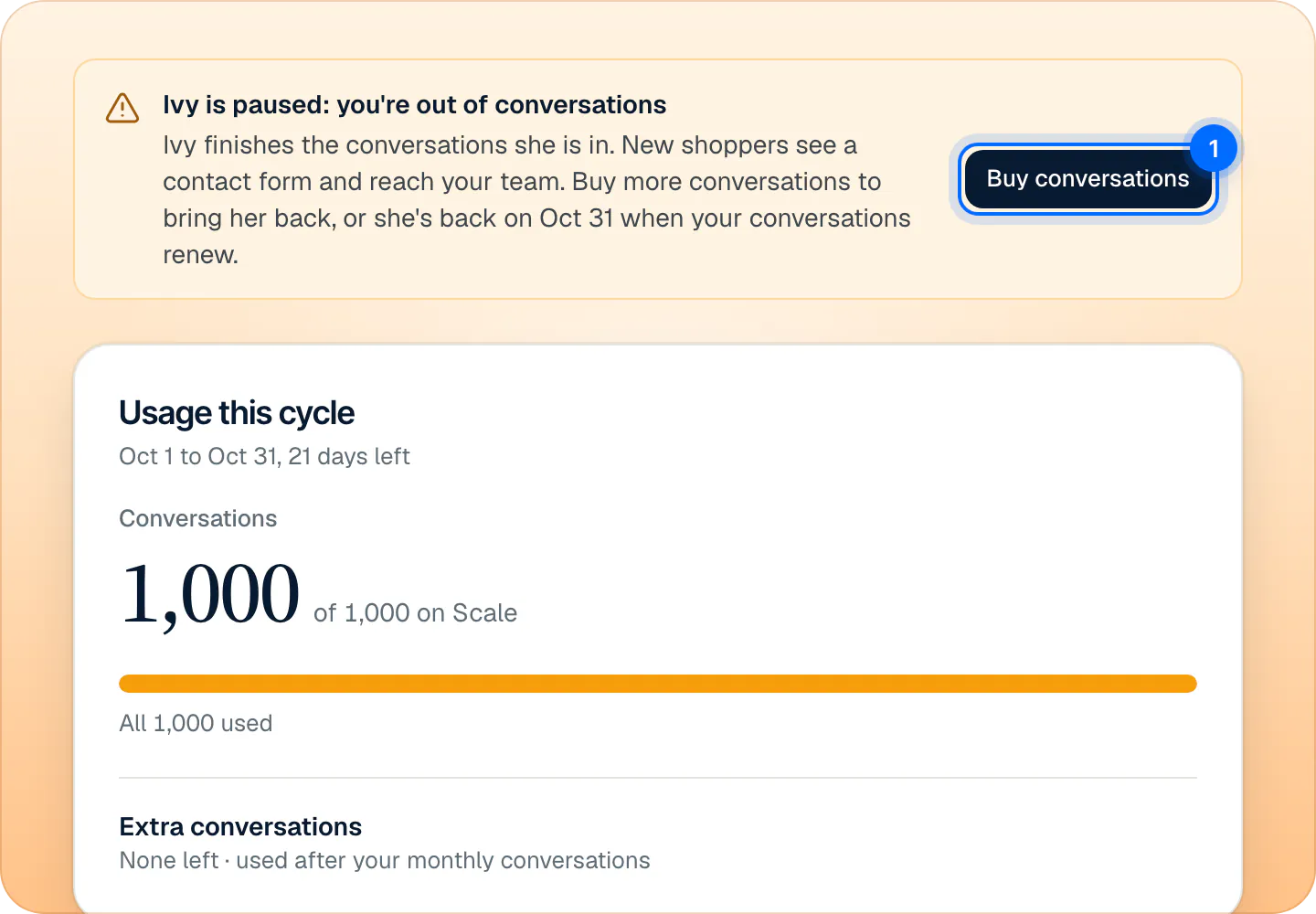
The owner and every admin are warned twice, by a notification in the app and an email, whatever their notification settings: at 80% of the conversations available this cycle, and when they run out. What counts as a conversation explains the count. To see what shoppers see while Ivy takes no new chats, read pause Ivy or hide the chat.
During the free trial#
Extra conversations can't be bought during the free trial. If your trial conversations run out, press Upgrade your plan to move to a bigger plan on Shopify's page. It's still free during the trial and raises the trial's allowance. On Scale, Ivy takes new conversations again when your plan starts.
When you can't buy#
When buying isn't possible, the button is disabled and the reason shows next to it:
| Reason shown | What to do |
|---|---|
| Choose a plan to buy conversations | Your plan ended. Choose a plan in Plans. |
| Extra conversations are available once your trial ends on (date) | Free trial: upgrade your plan, or wait. |
| In your first month you can add up to 1,000 extra conversations. More are available from (date). | First paid cycle. |
If Shopify couldn't collect your plan's charge, fix that first: see if a payment fails.
History and refunds#
When you've bought extra conversations, the card lists up to 8 recent entries under History: "Bought 100 conversations", "Auto top-up, 100 conversations" or "Refunded, 100 conversations", with the date and the amount.
There's no refund button. To ask for a refund, email support@strathly.com with your .myshopify.com address and the charge. Under the refund policy, any extra conversations charge can be refunded in full within 14 days of buying them, through Shopify; the refunded conversations are removed from your balance.
Frequently asked questions
Do extra conversations expire?
No. Extra conversations stay until you use them, across billing cycles, plan changes and cancellations.
Are they used before my monthly conversations?
No. Your monthly allowance is used first; extra conversations only after it runs out.
Can I buy extras during the trial?
No, not during the free trial. Upgrade your plan to raise the trial's allowance; extra conversations become available once your paid plan starts.
Is anything charged without me?
Only with auto top-up switched on: it buys the number you set when you run out, never more often than the times a month you chose (10 at most).
Does the chat disappear when I run out?
No. The chat stays on your store. New shoppers see a contact form that reaches your team, and Ivy finishes the chats she's in.
Related pages
- Billing & accountWhat counts as an Ivy conversationOnly Ivy's conversations count, one per shopper visit within 24 hours. Your team's replies are unlimited; spam and Playground tests never count.
- Billing & accountPlans, prices and the 14-day free trialThree plans that differ only by Ivy conversations and seats, a 14-day free trial that starts when you go live, and billing through Shopify, on your Shopify bill.
- Billing & accountChange your plan or cancelSwitch plans or cancel on Shopify's plan page, opened from Settings › Billing, and see what happens to Ivy, your extra conversations and your data.