Test Ivy in the Playground
The Playground is a private test chat with the real Ivy: same knowledge, same products, same rules, nothing reaching shoppers or your Inbox. Use it before you go live, after you change a setting, or whenever an answer surprised you.
Updated · 7 min read
On this page
Owners and admins can use the Playground. It is the third tab of the Ivy pages: Ivy,Playground. You can also get there from other places: Test in Playground on the Behavior page's Preview, on a product's panel in Products, and on the Home page's next steps after you go live.
What you see#
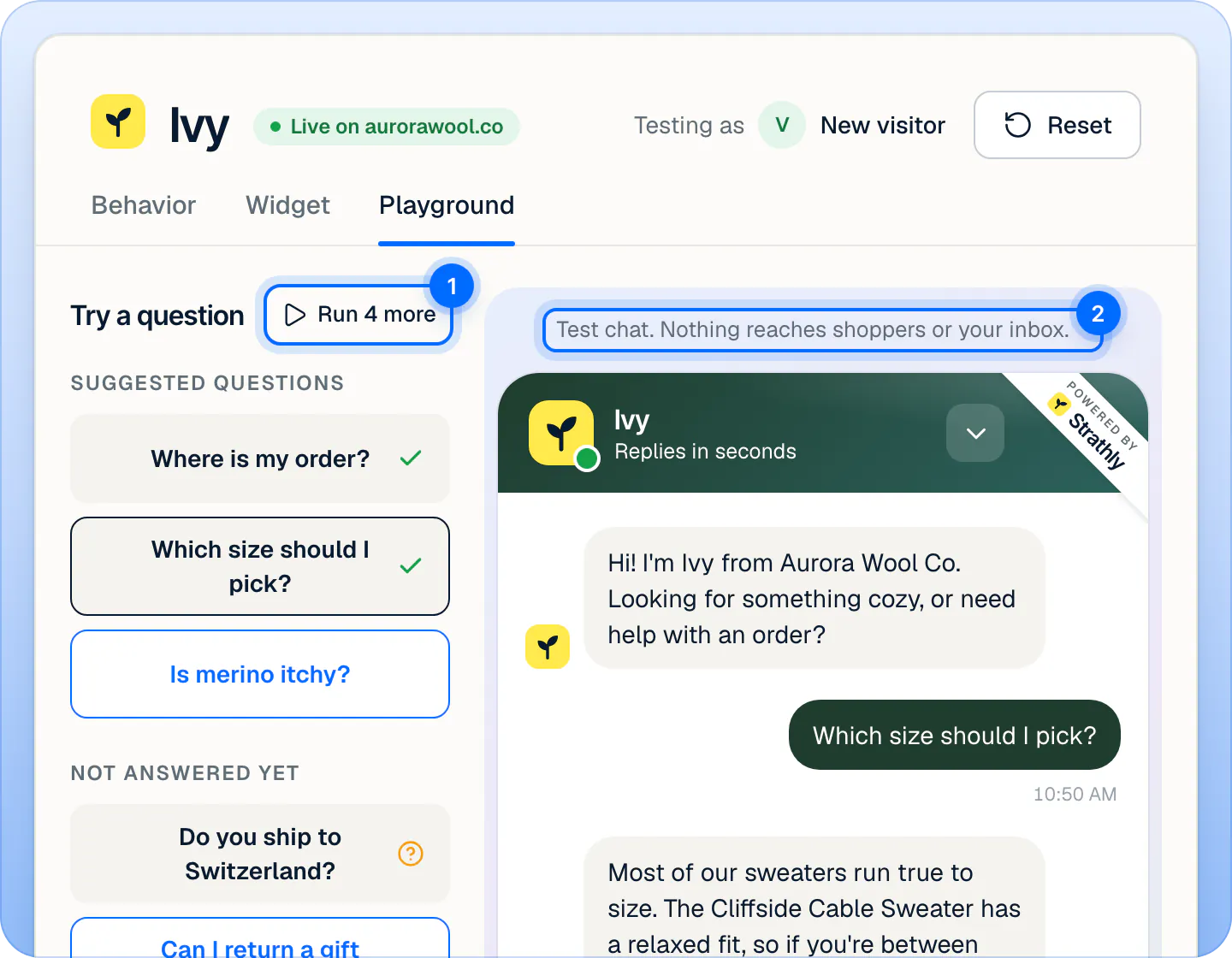
- Try a question on the left: questions to ask with one click (on narrow screens, the Questions menu in the header).
- The test chat in the middle, under the line "Test chat. Nothing reaches shoppers or your inbox." It's your real chat, with your saved name, colors, greeting and suggested questions. Type anything in Ask anything….
- Behind the answer on the right (on narrow screens, a button opens it): why Ivy answered the way she did.
- In the header, Testing as New visitor: a shopper who isn't signed in and has no orders. It's the only test shopper. Reset clears the test chat and the questions' marks.
What should I ask first?#
The list on the left has three groups, so you start with the questions that matter:
| Group | What's in it |
|---|---|
| Suggested questions | The suggested questions of your chat, set in Ivy,Widget. |
| Not answered yet | The five questions shoppers asked most that Ivy couldn't answer. |
| Your rules | Questions that test your settings: "Can I talk to a real person?", "Do you have a discount code?", "My order arrived damaged. Can I get a refund?", "Do you take bulk orders for a company?" and "Is this better than the big brands?". |
Click a question to ask it. Run all asks them one after the other (it becomes Run 4 more, then Run again). Each asked question turns gray with a mark for how Ivy handled it; hover the mark to read it: Answered, Handed off to your team, Couldn't answer, Declined and so on. The line at the bottom adds them up, for example "3 answered, 1 handed off, 1 to teach". Click an asked question to see its analysis again.
Then ask what your own shoppers ask: sizes, shipping to their country, returns, a product by name.
Read Behind the answer#
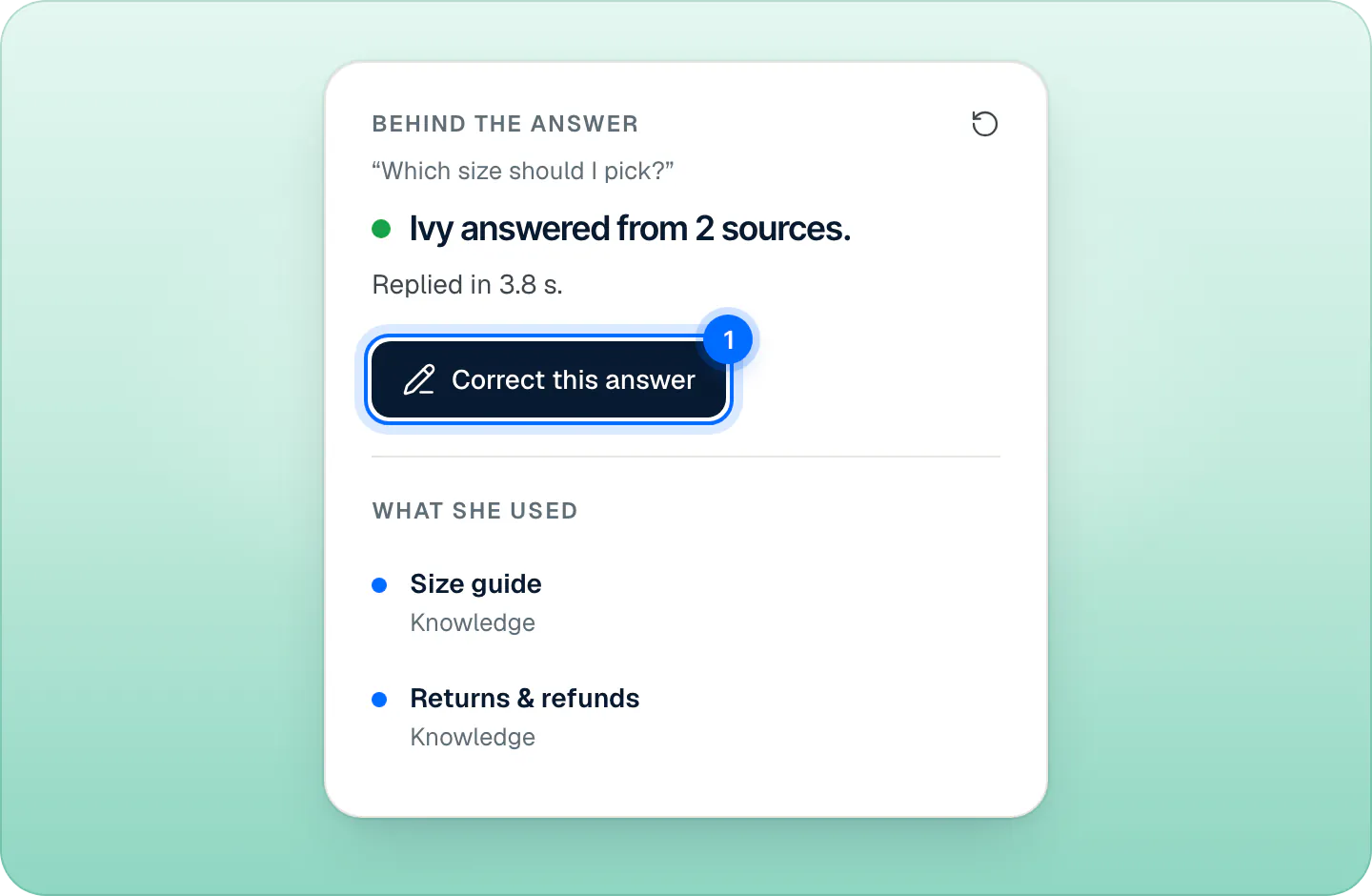
After each answer, the card on the right shows the question, a verdict and what Ivy used.
| Verdict | What it means |
|---|---|
| Ivy answered from your catalog / from 2 sources | She answered from your products or your knowledge. |
| Ivy used your answer | She used an answer you taught her. |
| Ivy asked a follow-up first | She needed more details before answering. |
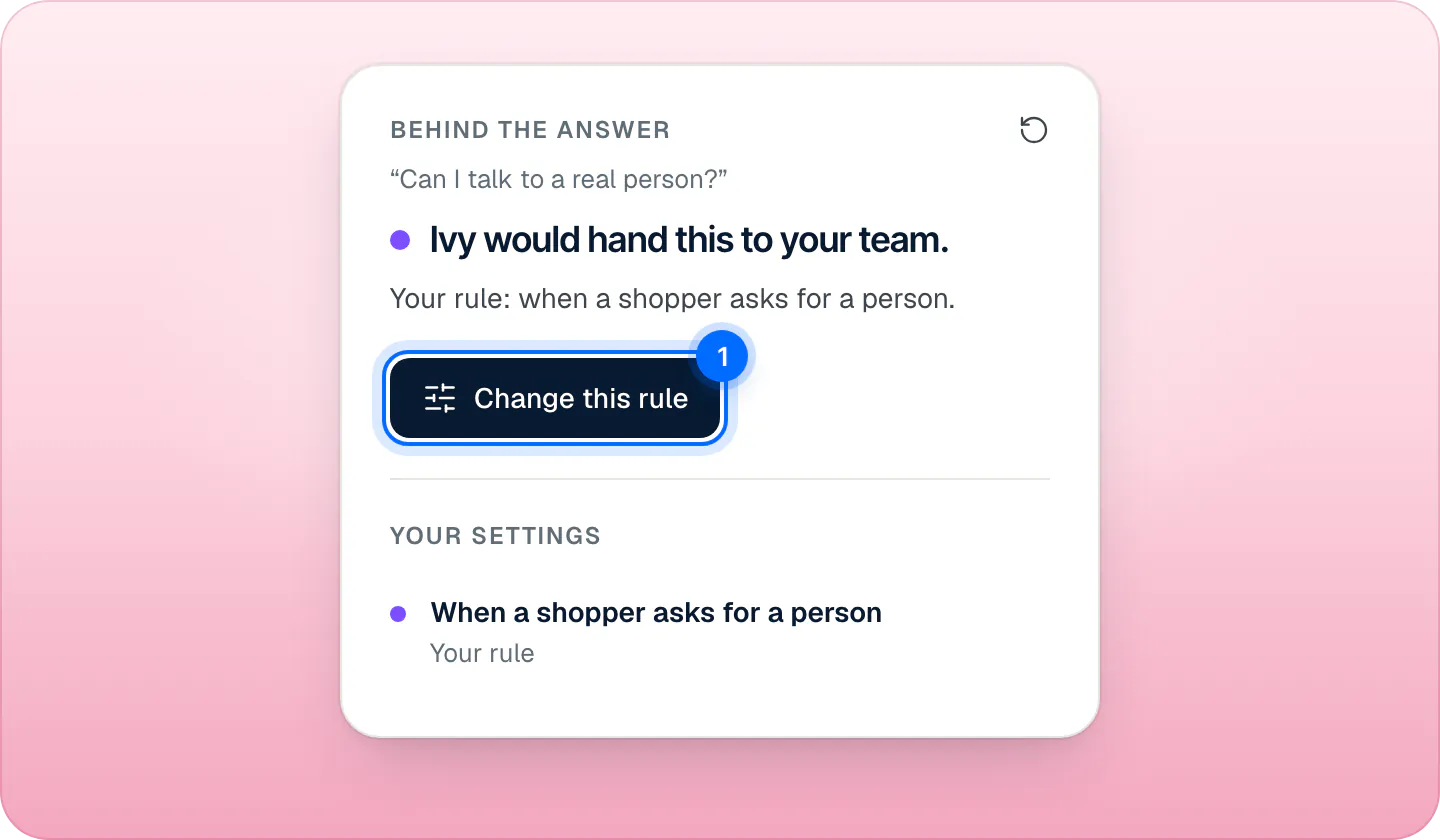
| Ivy would hand this to your team. | A rule sends this to your team; the card names it. In the question list, the same result reads Handed off to your team. |
| Ivy answered and told your team. | A rule set to Answer and notify me fired. |
| Ivy couldn't answer. | Nothing in your knowledge covers it. |
| Ivy stayed off this topic. | It's one of your blocked topics. |
Under the verdict, What she used lists the sources (with their kind: Knowledge or Your answer), Your settings names the rule that decided, and Products she showed and Order she looked up show what appeared in the chat.
Fix an answer on the spot#
The card's main button depends on the verdict:
- Correct this answer: rewrite what Ivy said. She uses your version from then on.
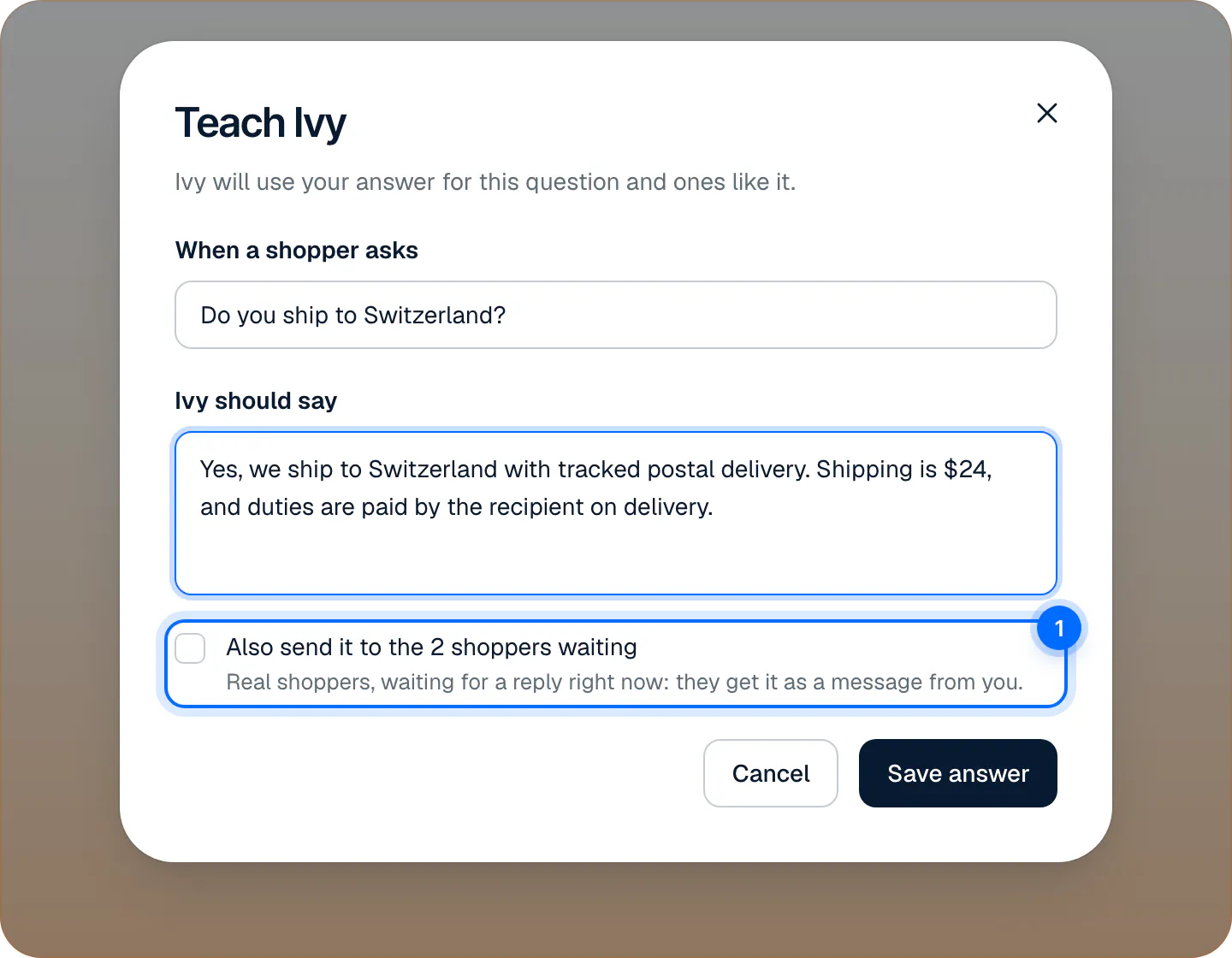
- Teach Ivy: when she couldn't answer, write the answer once and she uses it for that question and ones like it. See Teach Ivy and correct her.
- Change this rule (or See this rule, Change discount rule, Change guardrails): when a rule decided, it opens that setting in Ivy,Behavior.
- Edit your answer: when she used an answer you taught her.
After you teach or correct, the card says so, and Ask again asks the same question: you hear the new answer at once.
Do Playground chats count as conversations?#
No, never. The Playground stores nothing: no conversation, no message in the Inbox, no handoff, no notification, no unanswered question, no customer, no cart and no email. It doesn't use your plan's conversations, so test as much as you like. See What counts as an Ivy conversation.
What the Playground uses#
Each test is one real turn of Ivy, with:
- Your saved settings. Unsaved changes on Ivy,Behavior aren't tested: press Save changes first.
- Your knowledge and catalog as they are now.
- Your business hours and who is available right now. Ask "Can I talk to a real person?" at night and Ivy behaves as she would after hours; set everyone Away and she asks for an email.
- Your rules, including keyword rules and blocked topics.
It doesn't follow the pause: while Ivy is paused, or out of conversations, the Playground still answers normally, even though new shoppers would get the contact form.
When Ivy can't help after N replies fires in the Playground only when it's set to 1 reply: each test checks one turn at a time.
Test an order#
The test shopper isn't signed in and has no orders. To test order tracking, ask "Where is my order?" and give a real order number from the last 60 days with the email used at checkout. Ivy looks it up as she would for a shopper.
Order actions are only simulated: if you let Ivy refund, cancel, replace or change addresses, the Playground says what would happen and changes nothing in Shopify. Any six digits pass the verification code check, and no email is sent. See Let Ivy work on orders.
Limits#
| What | Limit |
|---|---|
| Test questions | 20 a minute for each teammate |
| Time for one answer | 60 seconds |
| Test shopper | New visitor only: not signed in, no orders |
Frequently asked questions
Do Playground chats count as conversations?
No, never. Nothing is stored and your plan's conversations aren't used.
Does it change real orders?
No. Refunds, cancellations, replacements and address changes are only simulated.
Why doesn't Ivy follow my new setting?
The Playground uses saved settings. Press Save changes in Ivy,Behavior, then ask again.
Can I test while Ivy is paused?
Yes. The Playground answers normally while Ivy is paused. Shoppers would get the contact form.
Can agents use the Playground?
No. Owners and admins only.
Related pages
- IvySet Ivy's name, tone and rulesRename Ivy, set her tone and reply length, choose her languages, decide what she does with discount codes and topics she won't discuss, then save.
- KnowledgeTeach Ivy and correct herUse Teach Ivy from the sidebar, a conversation, Unanswered or the Playground, and Correct this answer when she got it wrong. Live from her next reply.
- KnowledgeFill the gaps Ivy foundQuestions Ivy couldn't answer, grouped when shoppers ask the same thing, with a draft when your knowledge has one. Answer once, reply to who's waiting.