Choose your notifications
When Ivy hands a shopper to your team, Strathly can tell you by email, with a desktop alert in your browser, or with a push on the iPhone app. Each teammate chooses their own. This page explains every setting, who gets what, and what you can't turn off.
Updated · 6 min read
Feature overview:iPhone app for store chats
On this page
Every teammate, whatever their role, sets their own notifications. Nobody can change them for someone else.
Set what reaches you#
- Open Settings,Notifications, or Notification settings at the bottom of the bell's list.
- Under Tell me when, tick where each event reaches you: Email, iOS push, Desktop. Each change is saved at once.
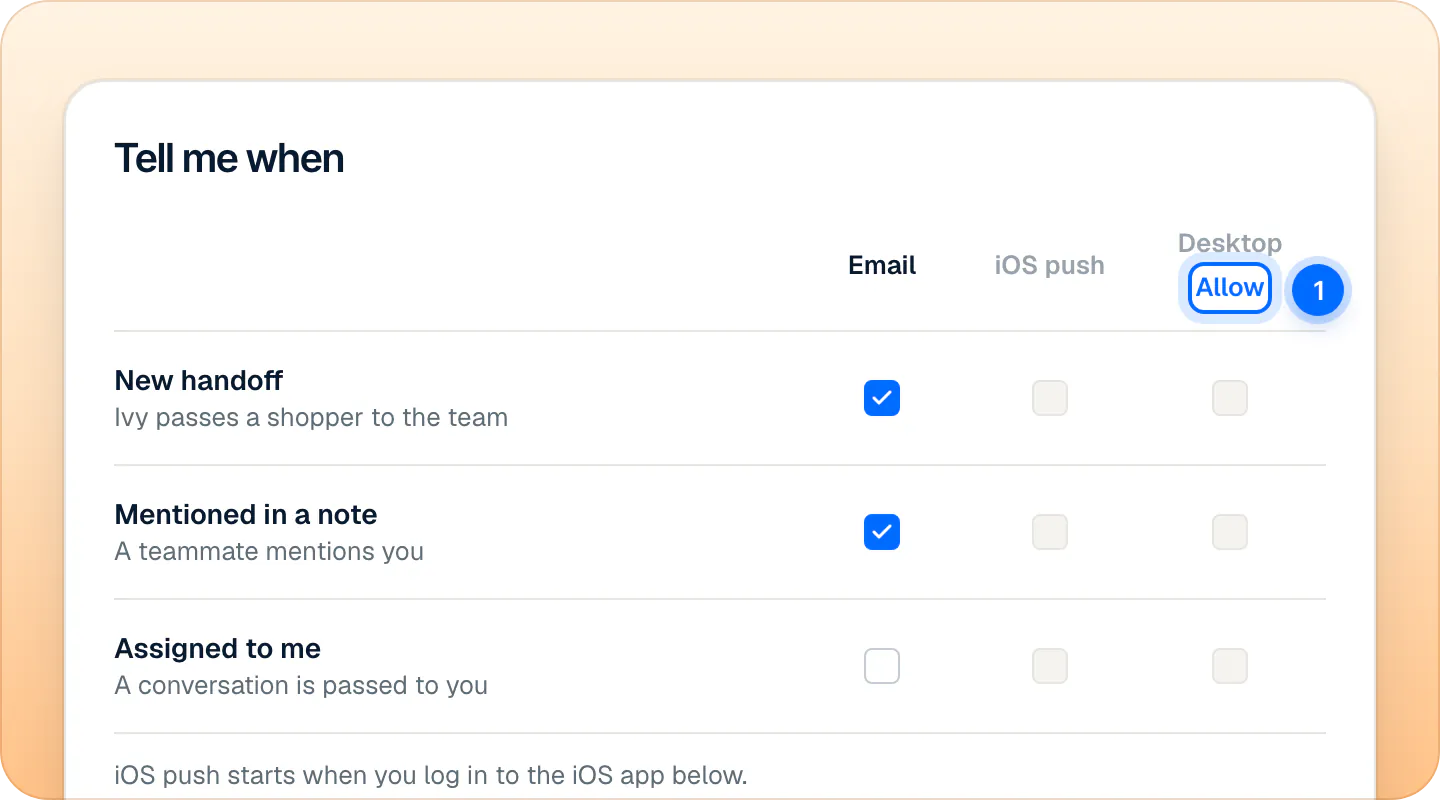
| Event | What it is | iOS push | Desktop | |
|---|---|---|---|---|
| New handoff | Ivy passes a shopper to the team | On | On | On |
| Mentioned in a note | A teammate mentions you; also Ivy's own notes to the team and the order actions she runs herself | On | On | On |
| Assigned to me | A teammate passes a conversation to you | Off | On | On |
These are the defaults. A column you can't use yet is gray: iOS push until you log in on the iPhone app, Desktop until your browser allows notifications.
Every handoff or only yours#
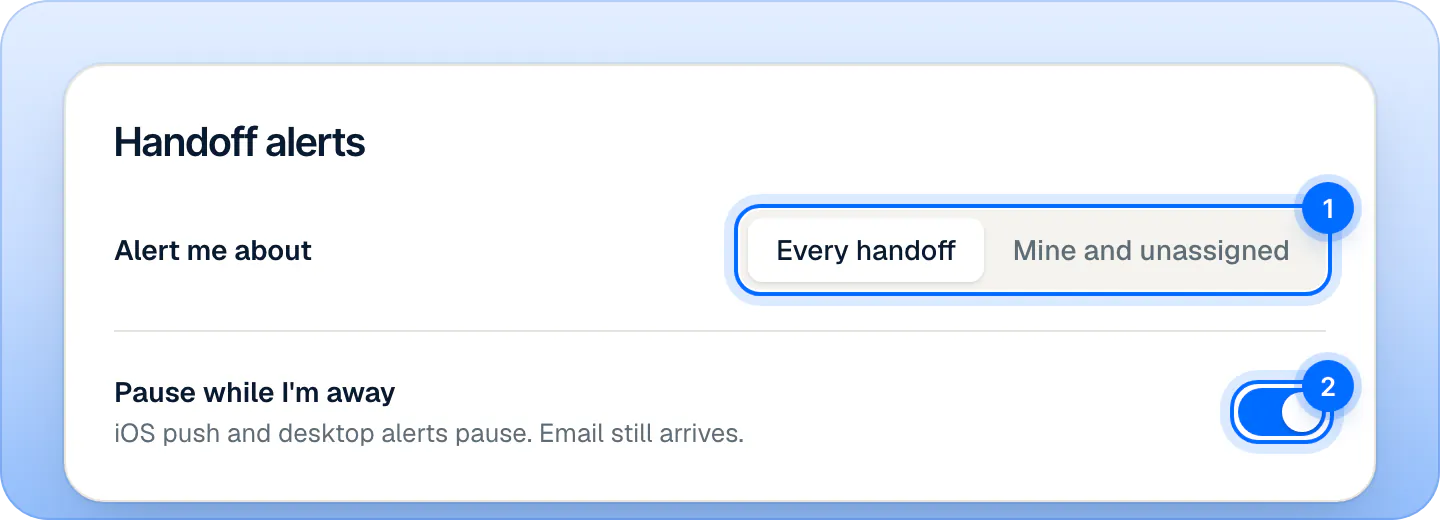
Under Handoff alerts, Alert me about decides which handoffs reach you by email, push and desktop:
- Every handoff (default): every conversation Ivy hands to the team, whoever it is assigned to.
- Mine and unassigned: only handoffs assigned to you and those nobody has. A handoff assigned to a teammate doesn't reach you.
Does push stop while I'm Away?#
Yes, with Pause while I'm away on, which is the default. While you are set to Away, your iPhone push and desktop alerts pause; emails still arrive. Push also pauses outside your business hours when Away when the store closes is on in Settings,Account. Desktop alerts follow only the Available / Away switch itself. More in availability and hours.
Switch Pause while I'm away off to get push and desktop alerts at any time.
Turn on desktop alerts#
- In the Tell me when card, press Allow under Desktop.
- Accept your browser's prompt. The Desktop column turns on, with the defaults above.
- Under Handoff alerts, press Send a test. A "Test from Strathly" alert appears.
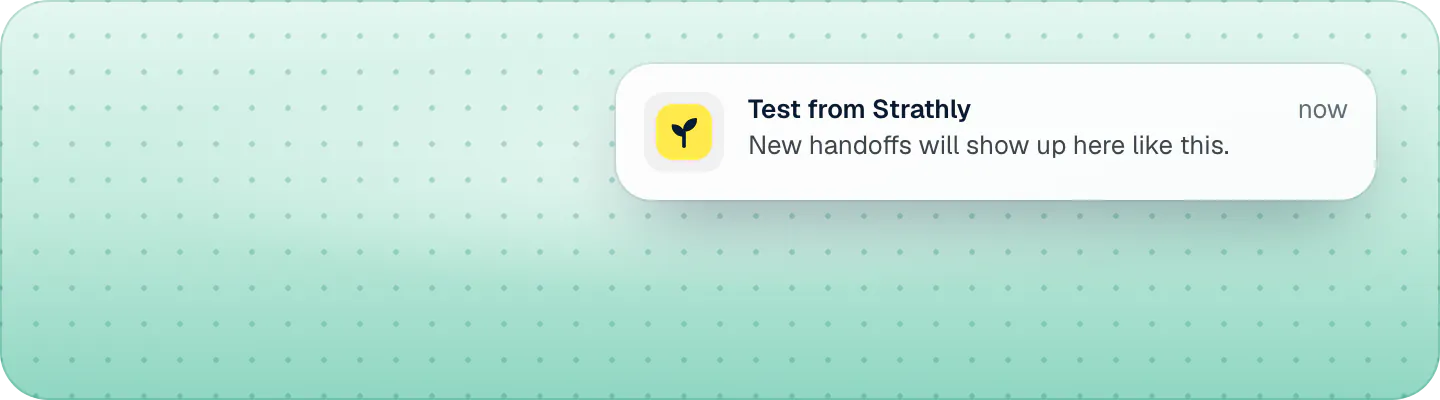
Desktop alerts show while the dashboard is open in a tab but you're looking at something else; when a dashboard tab is in front, the Inbox shows the news itself. Click an alert to open the conversation. The permission belongs to the browser, not to your account: allow it on each computer and browser you use. If the header says Blocked, your browser refused: allow notifications for the site in your browser's settings.
iPhone push#
The Strathly iPhone app is on the App Store. The iOS app card of Settings,Notifications has the Download on the App Store button, and Email me the link sends it to your inbox. Once you log in on an iPhone, the iOS push column turns on and the card lists your phones, each with Send a test and Log out. See the iPhone app.
The bell#
Notifications in the sidebar opens the list of your notifications, newest first:
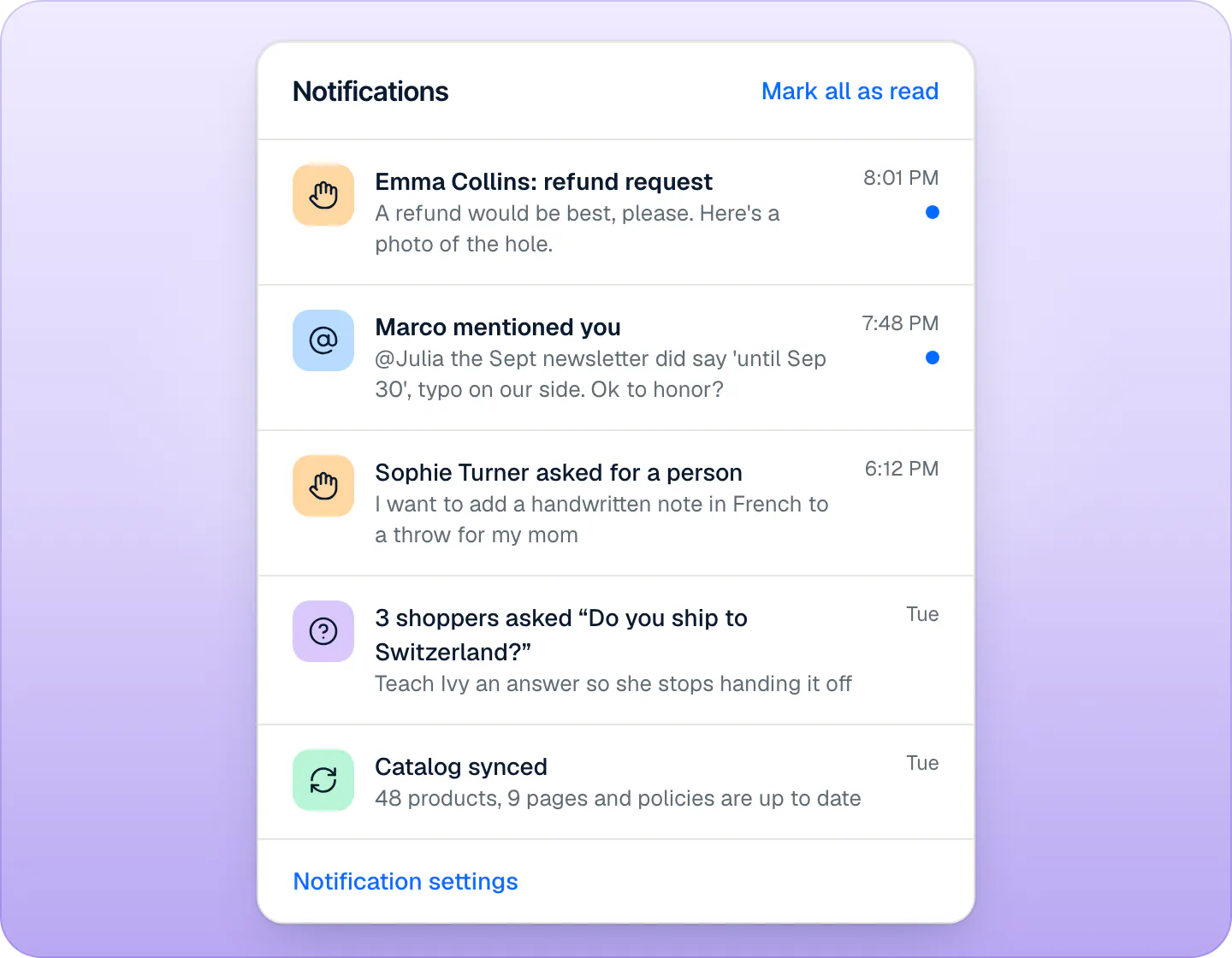
- Handoffs: "Emma Collins asked for a person", "Noah Palmer: order change"…
- Mentions: "Marco mentioned you", and Ivy's notes and her own order actions ("Ivy refunded $35.00 on #1052").
- Questions Ivy couldn't answer, once 3 shoppers asked the same thing: "3 shoppers asked…".
- Catalog syncs started by someone on your team, and failed syncs.
- Billing notices, for the owner and admins.
The bell shows everything, whatever your notification settings. Its red number leaves handoffs out, since the Inbox badge counts them. A handoff or a mention is marked read when you open its conversation; Mark all as read clears the rest. Click a row to open what it is about.
Who is alerted on an unassigned chat?#
When Ivy hands a conversation to the team and nobody has it, everyone with Every handoff and everyone with Mine and unassigned is alerted, by the channels each one ticked.
When an admin set handoffs to go to whoever is available, the bell row and the desktop alert go to the assignee only, but email and push still follow each person's Alert me about: with Every handoff, you still get them.
Nobody is ever notified about their own action, and nothing is sent about spam.
What each alert covers#
| What happens | Who | iOS push | Desktop | Bell | |
|---|---|---|---|---|---|
| Ivy hands off a shopper | Per Alert me about | Yes | Yes | Yes | Yes |
| The shopper writes again in a conversation a teammate has | The assignee, or everyone while unassigned | No | Yes | No | No |
| A teammate mentions you in a note | You | Yes | Yes | Yes | Yes |
| A teammate assigns you a conversation | You | Yes, if ticked | Yes | Yes | No |
| Ivy sends the team a note, or runs an order action on her own | Everyone | No | Yes | Yes | Yes |
| A teammate nudges you about waiting shoppers, from Analytics | You, never while Away | No | Yes | No | No |
| 3 shoppers ask a question Ivy couldn't answer | Everyone | No | No | No | Yes |
Each Yes follows your switches in Tell me when: the shopper writing again rides on New handoff, Ivy's notes and actions on Mentioned in a note. A nudge arrives whatever your switches. The bell is the exception to Alert me about: a handoff's bell row goes to every teammate, or only to the assignee when handoffs are assigned to whoever is available.
Emails you can't turn off#
Some emails aren't in your settings, because they are about your account or the store:
- invites to join a store, and ownership transfers;
- confirming your email address and resetting your password;
- billing notices (trial ending, payment failed, conversations running out), to the owner and admins;
- a shopper's request for their data, forwarded by Shopify, to the owner and admins.
Frequently asked questions
Why didn't I get notified?
Check, in order: the event's box in Tell me when; Alert me about (with Mine and unassigned, handoffs assigned to others don't reach you); whether you are Away, or away because the store is closed, with Pause while I'm away on; and for desktop alerts, whether this browser allows them. Fix missing notifications goes through every case.
Is there a daily or weekly email summary?
No. Strathly emails you about handoffs, mentions and assignments as they happen, following your settings.
Do I get an email when a shopper writes again?
No. A shopper's new message in a conversation your team has is a push on the iPhone app, not an email.
Do my settings change what my teammates get?
No. Everyone's settings are their own. An admin can change who gets new handoffs in Settings,Team, not how each person is alerted.
Related pages
- TeamStrathly's iPhone appStrathly for iPhone is on the App Store: push when Ivy hands off, Needs you on your phone, Ivy's drafts, take over, assign and resolve.
- TeamHours, holidays and who's availableSet your weekly business hours and date-specific hours for holidays, choose what Ivy does when you're closed, and set each teammate to Available or Away.
- TroubleshootingFix missing notificationsCheck Settings › Notifications, your Away status and the browser's or iPhone's permission, then send a test. Email, desktop alerts and push each have a fix.