Manage the answers you've taught Ivy
An answer is a question shoppers ask and what Ivy should say to it, written by your team. Every answer and correction you've taught her is in Knowledge › Answers, where you can find it, check how often she uses it, change its wording or delete it.
Updated · 5 min read
Feature overview:AI chatbot knowledge base
On this page
Answers are the fastest way to give Ivy something your store pages don't say, like whether you gift wrap or how late you ship for Christmas. They live in Knowledge,Answers. Only admins and the owner can open Knowledge.
What an answer is#
Each answer has two parts, the same two fields as the Teach Ivy dialog:
- When a shopper asks: the question, worded as shoppers ask it. Ivy matches it by meaning, so "can I get it gift wrapped" finds an answer to "Do you gift wrap?".
- Ivy should say: what she tells the shopper. She uses your facts in her reply, in the shopper's language and in the tone set in Ivy,Behavior.
There are two kinds:
| Kind | Made with | On the list |
|---|---|---|
| Written by your team | Teach Ivy, from anywhere in the app | No chip |
| Correction | Correct this answer, on one of Ivy's messages | A violet Correction chip |
Answers are made only with Teach Ivy and Correct this answer: the sidebar's + Teach Ivy, New › Teach Ivy in Knowledge, a conversation in the Inbox, an Unanswered card, the Playground, Home, a product's panel or Analytics › Quality. How to write one is on Teach Ivy and correct her.
Do answers beat my policies?#
Yes, when they fit the question. Each time Ivy searches her knowledge, the relevant results are ordered with corrections first, then your team's answers, then pages, policies, files and web pages. If an answer and a policy disagree, she follows the answer.
An answer about something else doesn't take over: an answer about gift wrapping isn't used for a question about returns. If your returns policy says 30 days and you want Ivy to say 60, change the policy in Shopify, or write an answer to the returns question itself. When Ivy keeps getting a question wrong, Fix a wrong answer helps you find which source she used.
Find an answer#
The tab lists one answer per row, most used first.
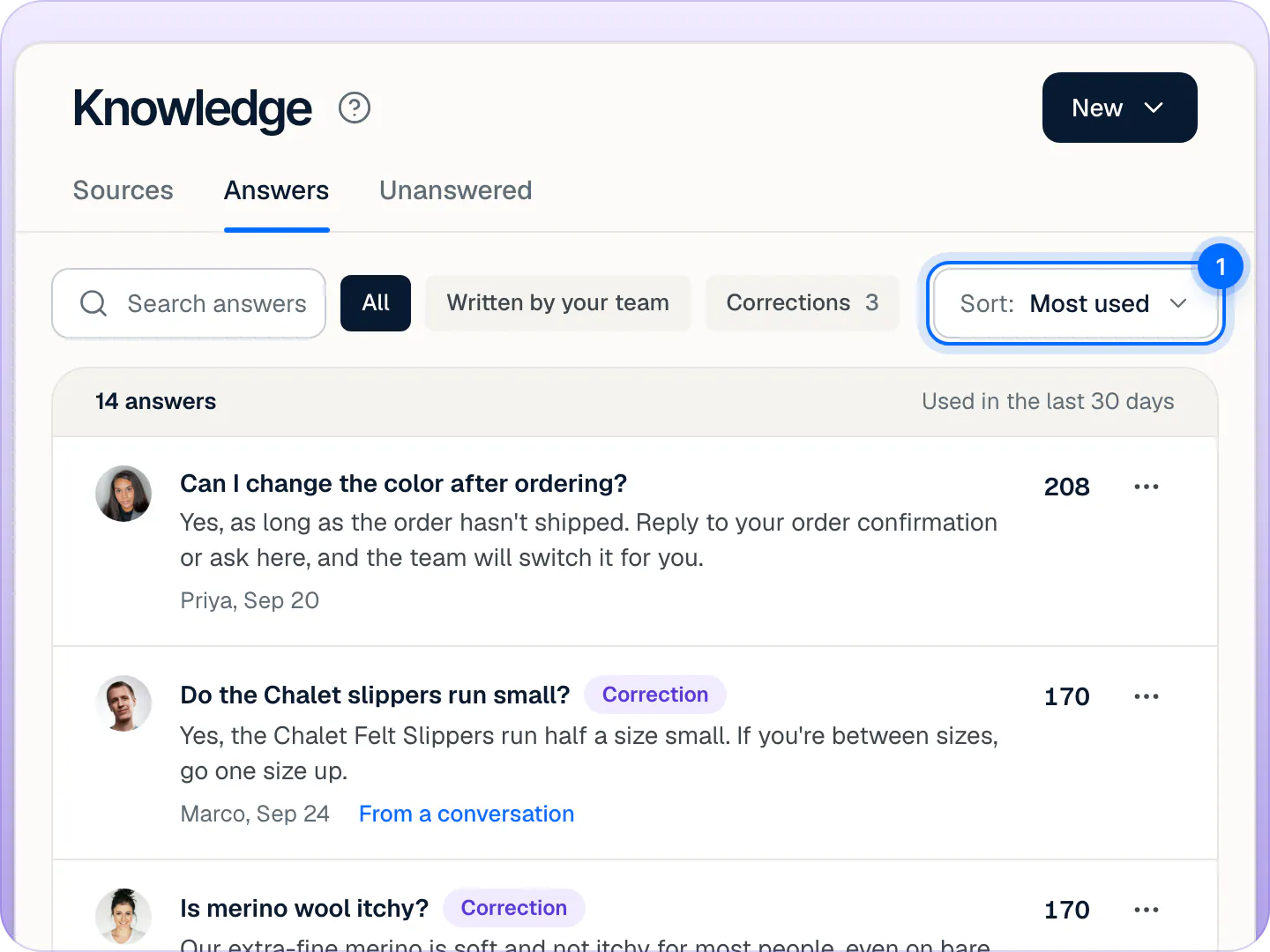
- Search answers looks in the questions and the answers.
- All, Written by your team and Corrections narrow the list. The Corrections tag shows how many there are.
- Sort: Most used (the default) or Newest. The sort is hidden while no answer has been used yet.
Each row shows who wrote it and when ("You, Sep 18", "Priya, Sep 20"), From a conversation when it was taught from one (the link opens that conversation, while it still exists), and on the right how many of Ivy's replies used it in the last 30 days, or Not yet.
Edit an answer#
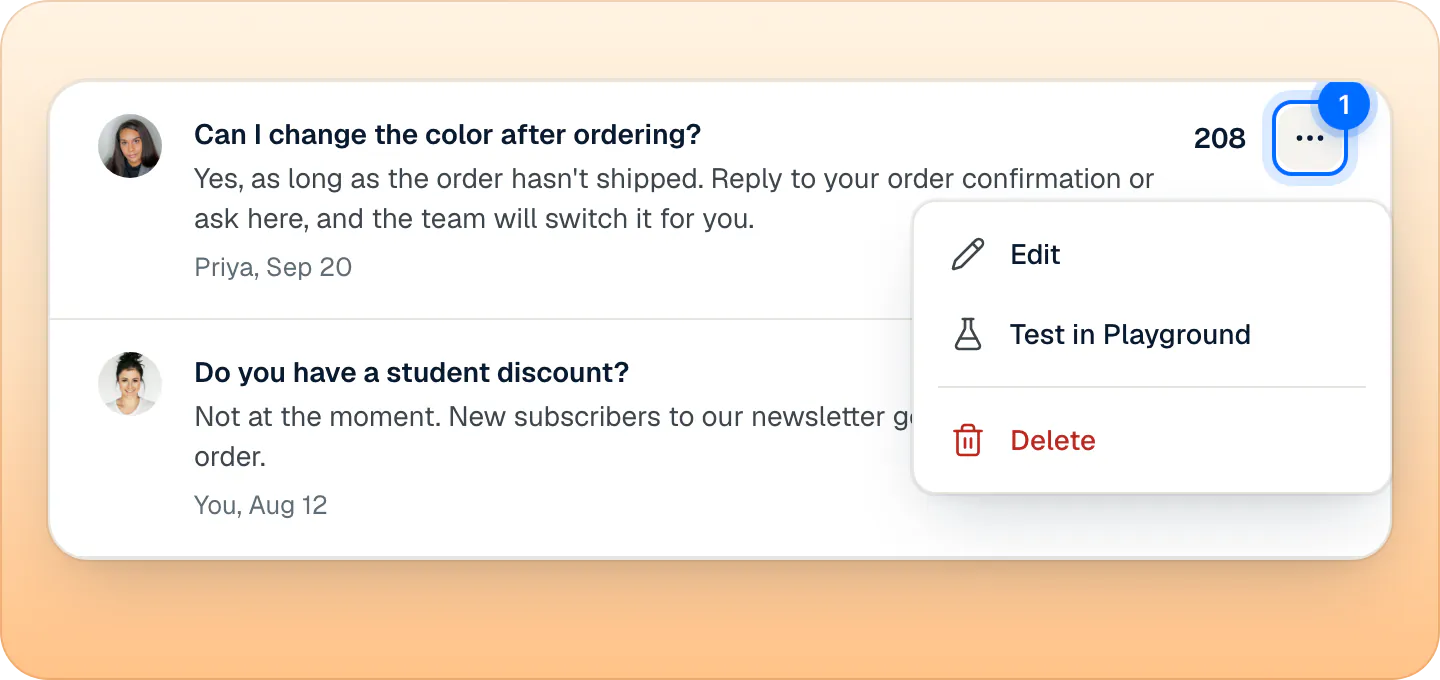
- Click the answer's row, or open its … menu and press Edit.
- In Edit your answer, change When a shopper asks, Ivy should say, or both.
- Press Save changes, or ⌘Enter. It's enabled once something changed.
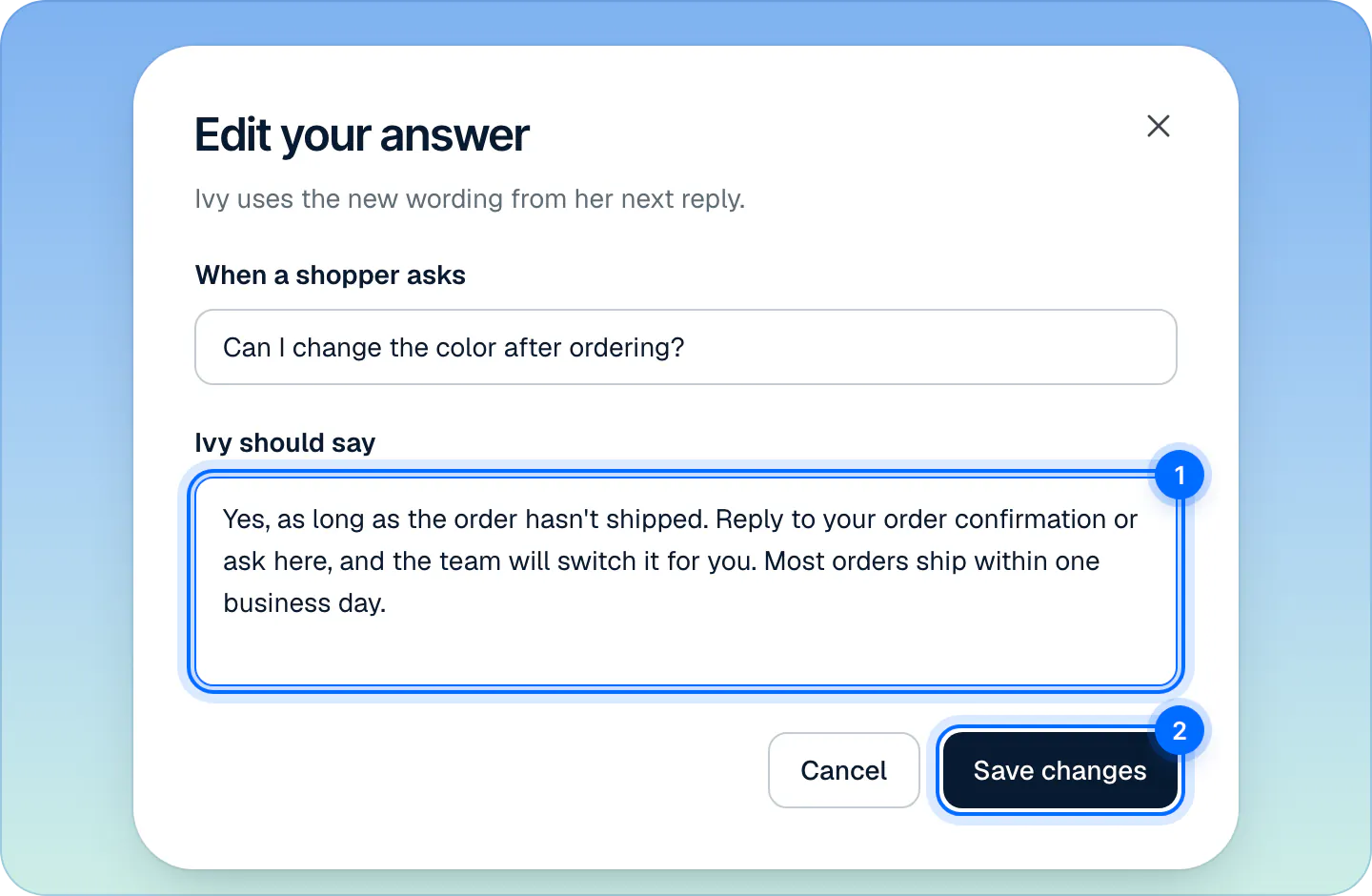
The toast says Answer updated, with Undo. Ivy uses the new wording from her next reply. The question can be 3 to 500 characters and the answer up to 6,000.
Test an answer#
Open the answer's … menu and press Test in Playground. The Playground opens and asks Ivy the answer's question, so you hear how she says it. Playground tests never reach shoppers and never count as conversations. See Test Ivy in the Playground.
Delete an answer#
- Open the answer's … menu and press Delete.
- The dialog Delete this answer? says how many times Ivy used it in the last 30 days.
- Press Delete answer.
Ivy stops using it right away. The toast says Answer deleted, with Undo. Any unanswered question the answer had closed goes back to Knowledge,Unanswered as an open question, so the gap doesn't disappear unnoticed. Undo closes it again. See Fill the gaps Ivy found.
Can I switch an answer off?#
No. Answers have no on/off switch: edit the answer, or delete it. Sources on the Sources tab are different: switch a source off and Ivy ignores it until you turn it back on.
Frequently asked questions
Can I edit an answer later?
Yes, as often as you like. Click it in Knowledge › Answers, change it and press Save changes. Ivy uses the new wording from her next reply.
How many answers can I add?
There is no set limit, and answers don't cost anything extra on any plan. Write one per question shoppers really ask: a short, direct answer works better than a long one that covers many topics.
What's a correction?
An answer saved with Correct this answer, when you rewrite something Ivy said in a conversation. It shows a violet Correction chip, and when it fits a question it ranks before every other source.
Who can manage answers?
Admins and the owner. Agents don't see Knowledge or Teach Ivy, but they can mark one of Ivy's answers as a bad answer in the Inbox, so an admin reviews it in Analytics › Quality.
Does a thumbs up teach Ivy?
No. Marking a reply as a good answer doesn't change what she says. To change her answer, edit it here or correct her message.
Related pages
- KnowledgeTeach Ivy and correct herUse Teach Ivy from the sidebar, a conversation, Unanswered or the Playground, and Correct this answer when she got it wrong. Live from her next reply.
- KnowledgeFill the gaps Ivy foundQuestions Ivy couldn't answer, grouped when shoppers ask the same thing, with a draft when your knowledge has one. Answer once, reply to who's waiting.
- IvyTest Ivy in the PlaygroundAsk Ivy anything on your store's real data before and after going live, see which sources she used, and fix answers on the spot. Tests never count.