Change your plan or cancel
Your plan is billed through Shopify, so you change it or cancel it on Shopify's plan page, which Settings › Billing opens for you. Cancelling never deletes your data.
Updated · 5 min read
Prices:Plans and pricing
On this page
Only the owner and admins can change or cancel a plan. Every store pays through Shopify (see how you pay), so the change itself always happens on Shopify's plan page, in your Shopify admin.
Does uninstalling cancel my plan?#
Yes. Uninstalling Strathly from your Shopify admin ends the subscription, and Ivy goes off your store at once: the plan doesn't run to the end of the period. Disconnect or uninstall covers what stops and what happens to your data.
Change plan#
- Open Settings,Billing and scroll to Plans.
- On the plan you want, press Upgrade to or Downgrade to and its name (Upgrade or Downgrade on a narrow screen). The plan that would cost less at your current pace has the filled button. Shopify's plan page opens.
- Approve the new plan there. Shopify applies the change and its charges under its own billing rules. During the free trial nothing is charged, and the trial's end date stays the same.
Back in Strathly, your new plan is marked Current plan in Settings,Billing. Every plan is billed monthly.
Before you downgrade#
Strathly doesn't warn you or block a downgrade, so check two things first:
- Seats. Teammates above the new plan's seats stay on the team, but new invites are refused until you're under the limit. Seats count the owner and pending invites.
- Conversations. The smaller allowance applies once the change takes effect. Your extra conversations are kept.
Cancel#
End the plan in Shopify, in one of two ways:
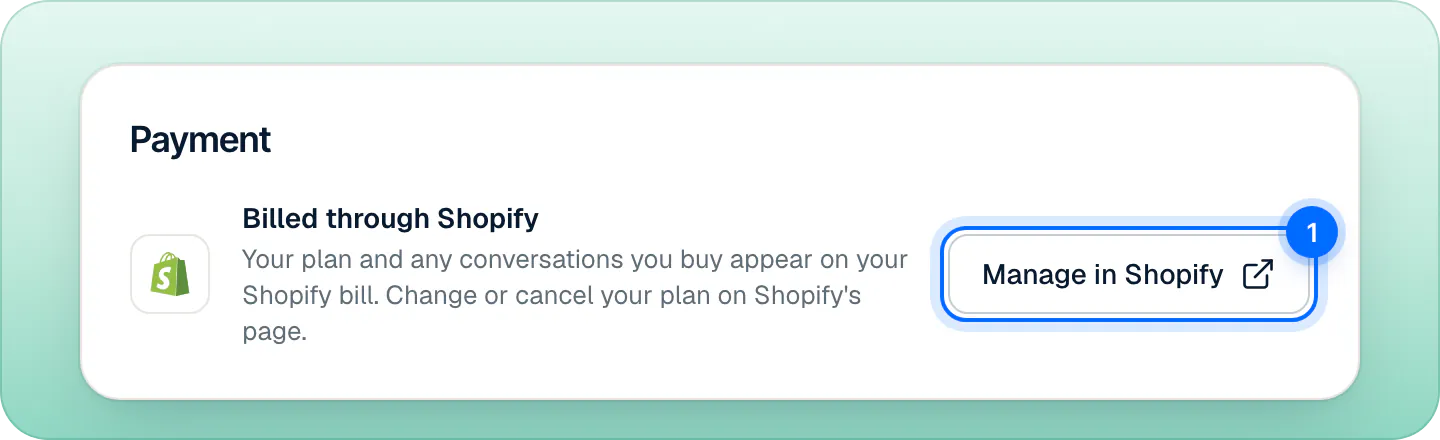
- Press Manage in Shopify (1) in the Payment card of Settings,Billing and cancel the plan on Shopify's page.
- Uninstall Strathly from your Shopify admin, in Settings,Apps. Ivy goes off your store at once, and Shopify asks Strathly to erase the store's data 48 hours later. See disconnect or uninstall.
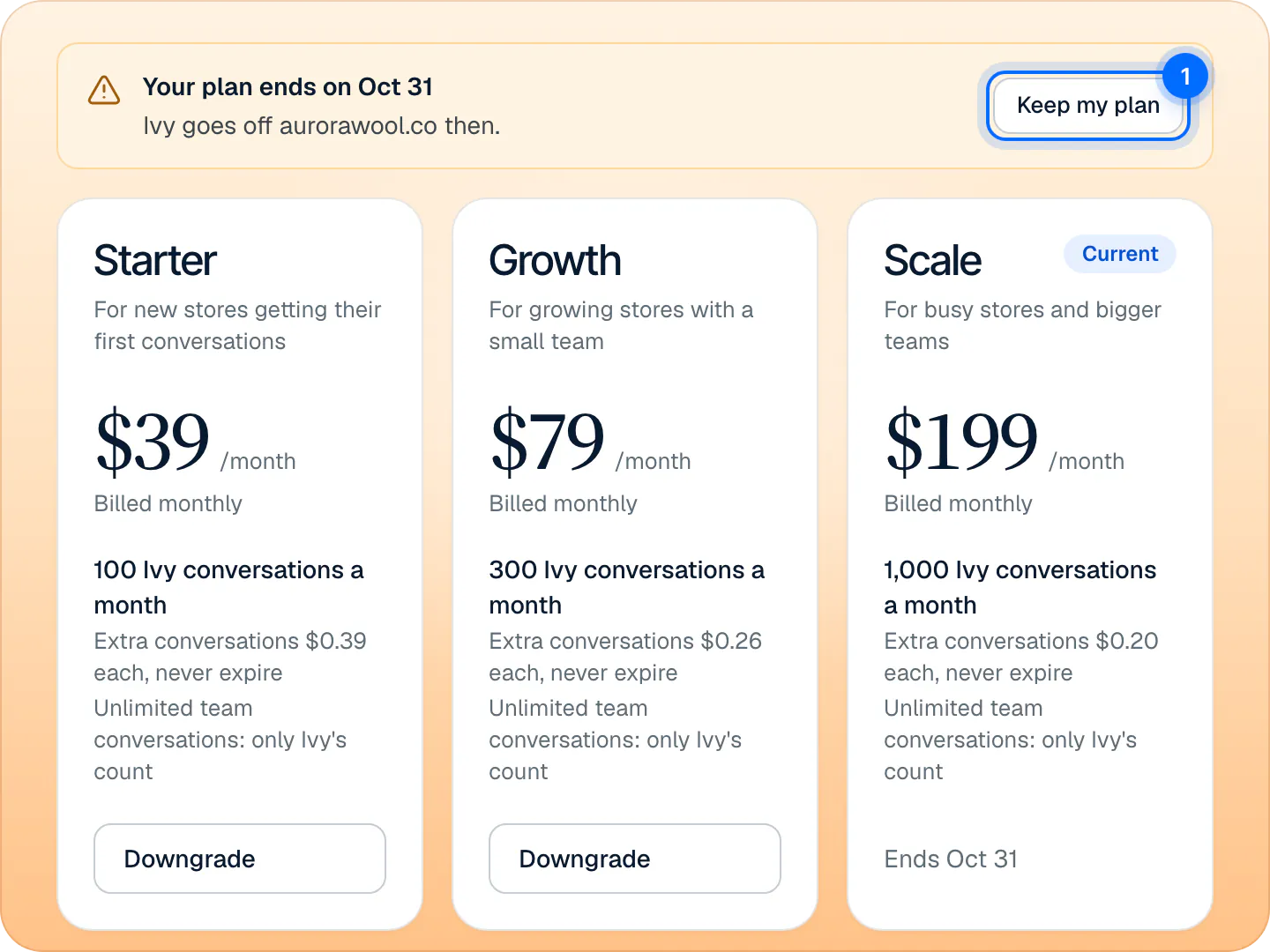
A cancelled plan keeps running until the end of the paid period. Back in Strathly, Settings,Billing shows "Your plan ends on (date)" and "Ivy goes off (your domain) then.", and your plan's card reads Ends and the date. Changed your mind? Press Keep my plan (1) before that date to open Shopify's page again.
Cancelled during the free trial, nothing is charged: the plan ends with the trial. Your bills are in your Shopify admin, under Settings,Billing.
When the plan ends#
When your plan or trial ends, Ivy goes off your store:
- The chat no longer shows to shoppers, and Ivy's status is Offline.
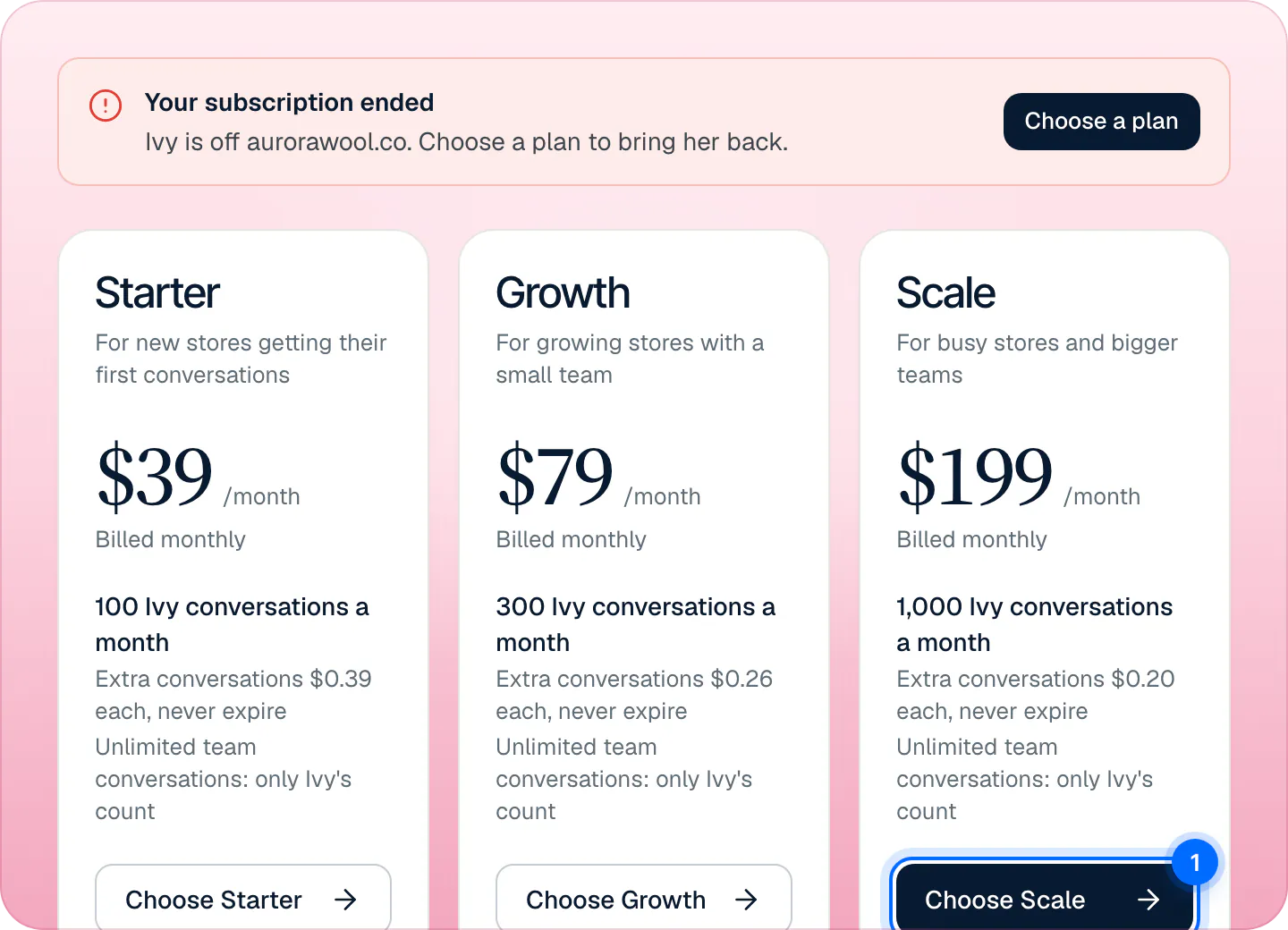
- Settings,Billing shows "Your subscription ended" (or "Your free trial ended") with Choose a plan. The owner and admins get the same message as a notification and an email.
- Your conversations, settings, everything you taught Ivy and your extra conversations are kept. Nothing is deleted by cancelling.
Come back#
Press Choose a plan, then Choose and the plan's name on its card, and approve the plan on Shopify's page. There's no second free trial: the plan starts, and is billed, right away. Ivy is back on your store as soon as the plan is active.
If a payment fails#
When Shopify can't collect your plan's charge, Settings,Billing shows "Your last payment failed" and Ivy goes off your store until Shopify can charge it. Press Open billing and check your billing in your Shopify admin; Ivy comes back as soon as the charge goes through. If Shopify ends the subscription instead, you'll see "Your subscription ended": choose a plan again.
Refunds#
The refund policy has the full terms. In short:
- Any charge (plan or extra conversations) can be refunded in full within 14 days of it, no reason needed. A refunded plan charge ends the subscription.
- After 14 days the past period isn't refunded: cancel at any time and the plan runs to the end of the period you paid for.
- Billing mistakes are always refunded.
- We issue refunds through Shopify: they show as a refund or a credit on your Shopify bill.
Email support@strathly.com with your .myshopify.com address and the charge. A person replies within one business day.
Frequently asked questions
What happens to my extra conversations when I cancel?
Extra conversations stay with your store and are there again when you choose a plan. See extra conversations.
Is my data deleted when I cancel?
No. Cancelling only takes Ivy off your store. Data is deleted 48 hours after you uninstall Strathly from Shopify, or when the owner deletes their account while alone on the store. See your account.
Do I get another free trial if I come back?
No. The free trial is once per store: when you come back, the plan you choose starts, and is billed, right away.
Can I cancel from inside Strathly?
Strathly opens the page: press Manage in Shopify in Settings,Billing and cancel there. You can also uninstall the app in Shopify.
Can I switch to yearly billing?
No. Every plan is billed monthly through Shopify.
Related pages
- Billing & accountPlans, prices and the 14-day free trialThree plans that differ only by Ivy conversations and seats, a 14-day free trial that starts when you go live, and billing through Shopify, on your Shopify bill.
- Billing & accountExtra conversations and auto top-upBuy extra conversations from 10 at your plan's rate. They never expire. Set auto top-up, and see what happens if you run out of conversations.
- Shopify & dataDisconnect or uninstallDisconnect Shopify or uninstall the app: what stops at once, what happens to your plan and data 48 hours later, and how reconnecting brings it all back.